
Rumskrot Beacon
A network toolbelt that gives one verdict
Twenty native diagnostics on your phone. When something is down, Diagnose runs DNS, ping, TCP, TLS and HTTP in order and names the step that failed. When nothing is down yet, it grades your TLS A+ to F and audits your domain’s mail records.
View release notes →
- Audit before it breaks. MX, SPF, DKIM, DMARC, CAA and BIMI in one posture verdict; a cert dashboard sorted by urgency.
- Every result is a starting point. Route any IP, host or port straight into Ping, MTR, the TLS inspector — or into Rumskrot Terminal.
- Chain it and automate it. Templates run several tools as one; every probe is a Shortcuts action; Bonjour browser and network scan built in.
Use it when… the site is “slow”, the client’s email bounces, or you want to know what’s on this Wi-Fi.
iPhone
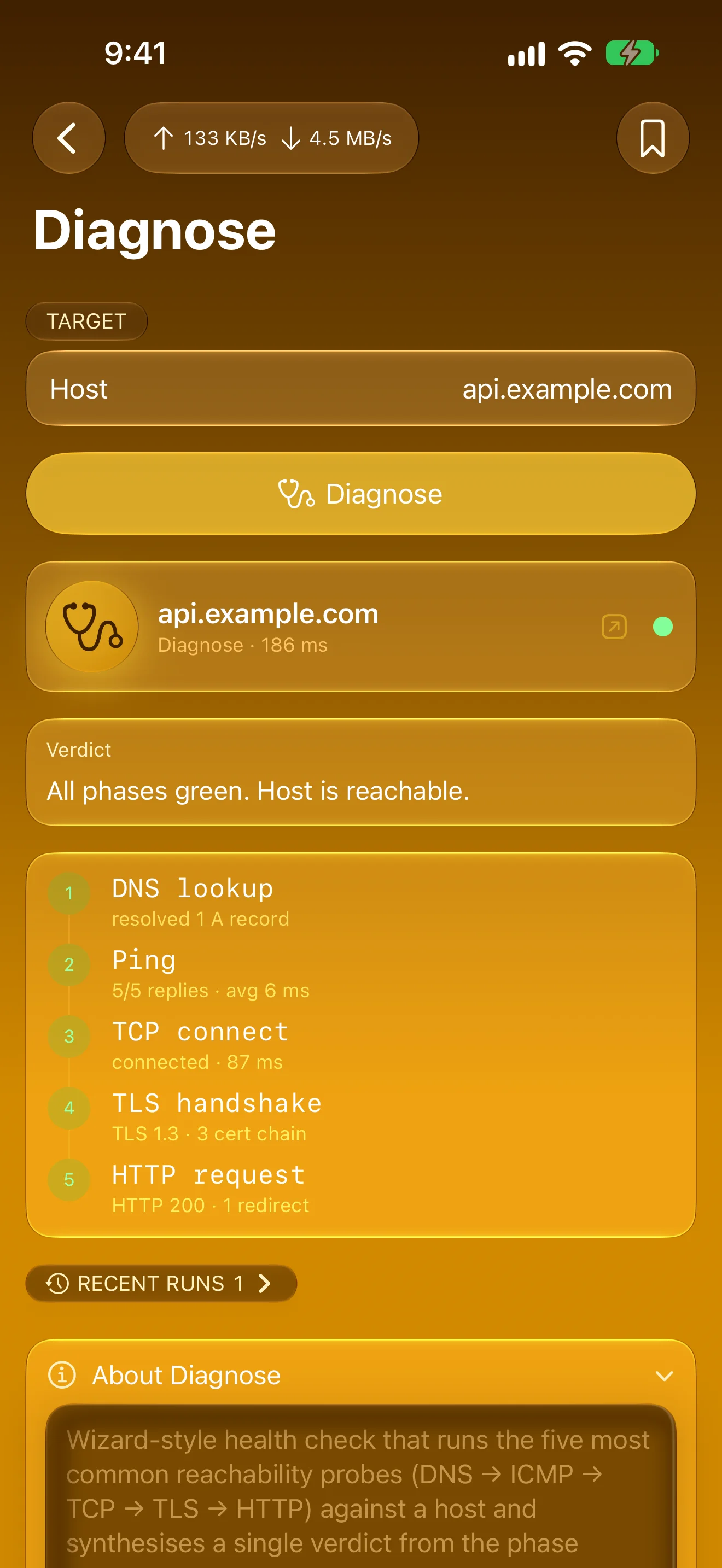
Find Where It Breaks
DNS, ping, TCP, TLS, HTTP — one tap, one verdict
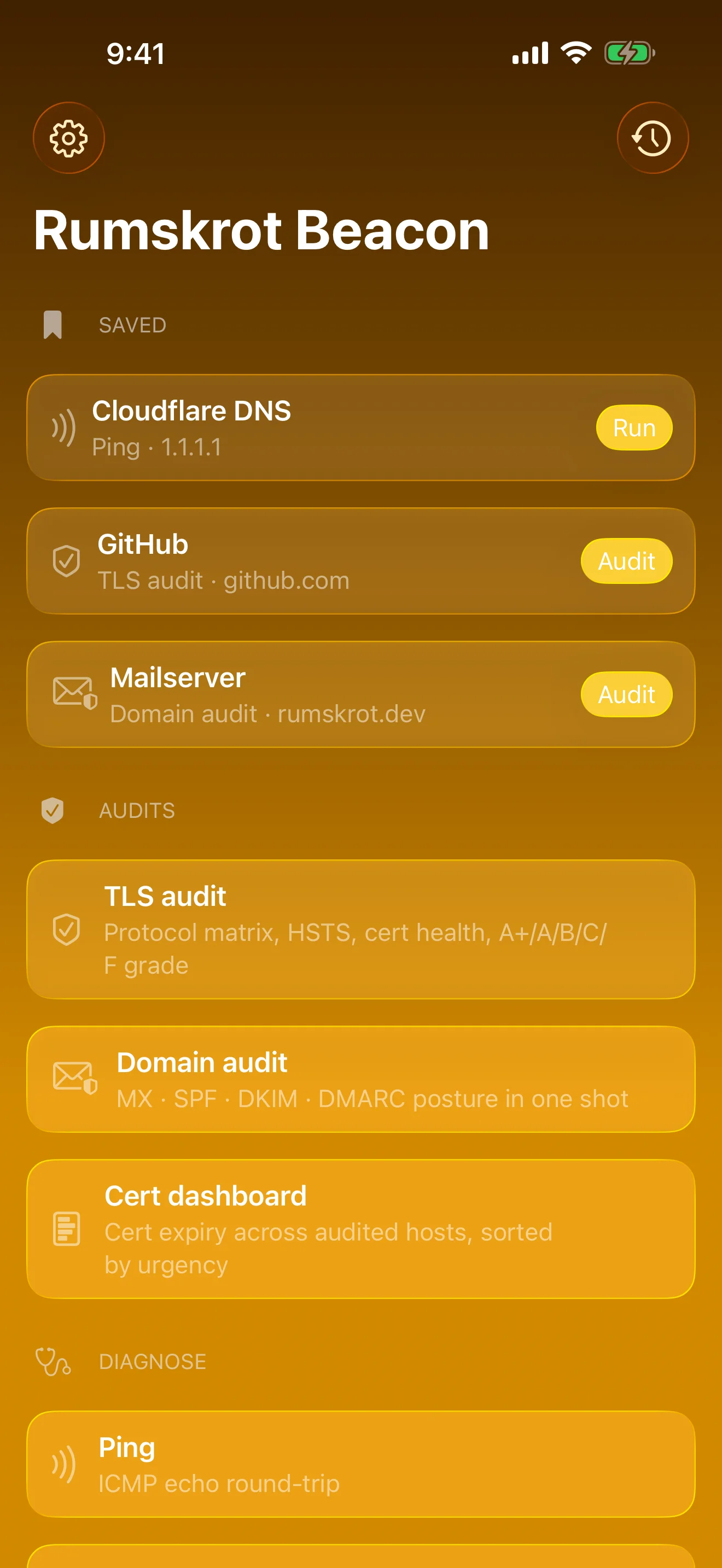
The Network Engineer’s Toolbelt
Twenty native diagnostics and audits, all on-device
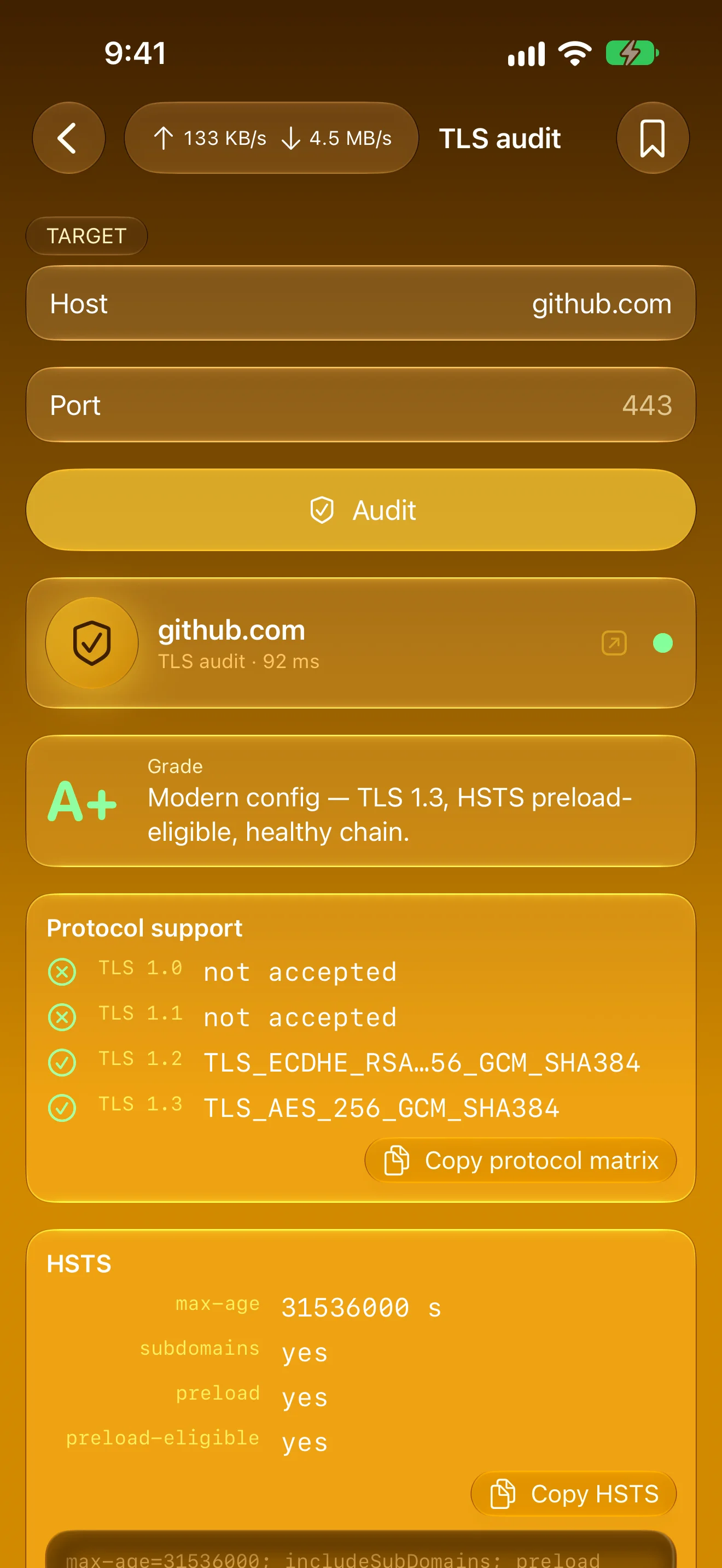
Grade Any Server’s TLS
Protocols, HSTS and chain health, A+ to F
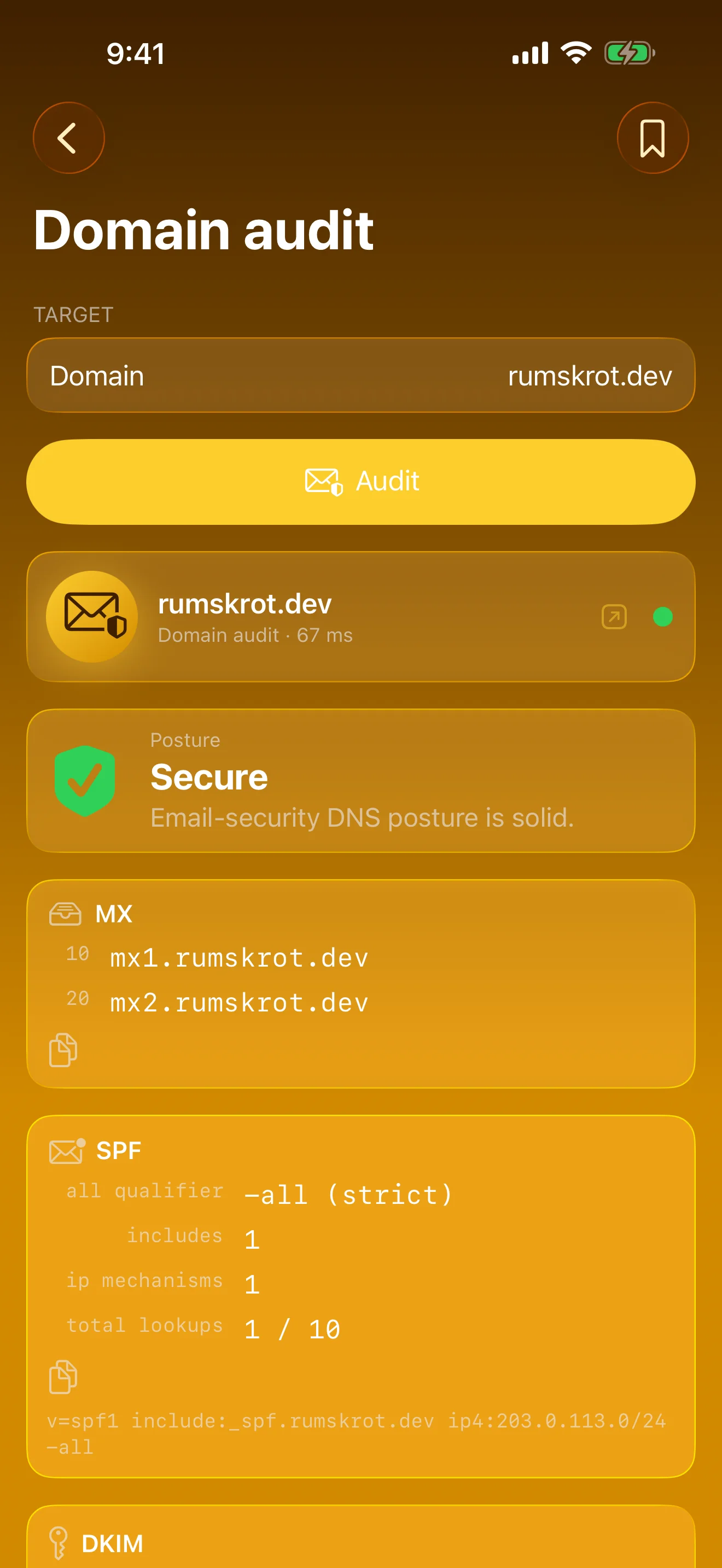
Audit Email DNS
MX, SPF, DKIM, DMARC, CAA, BIMI — one verdict
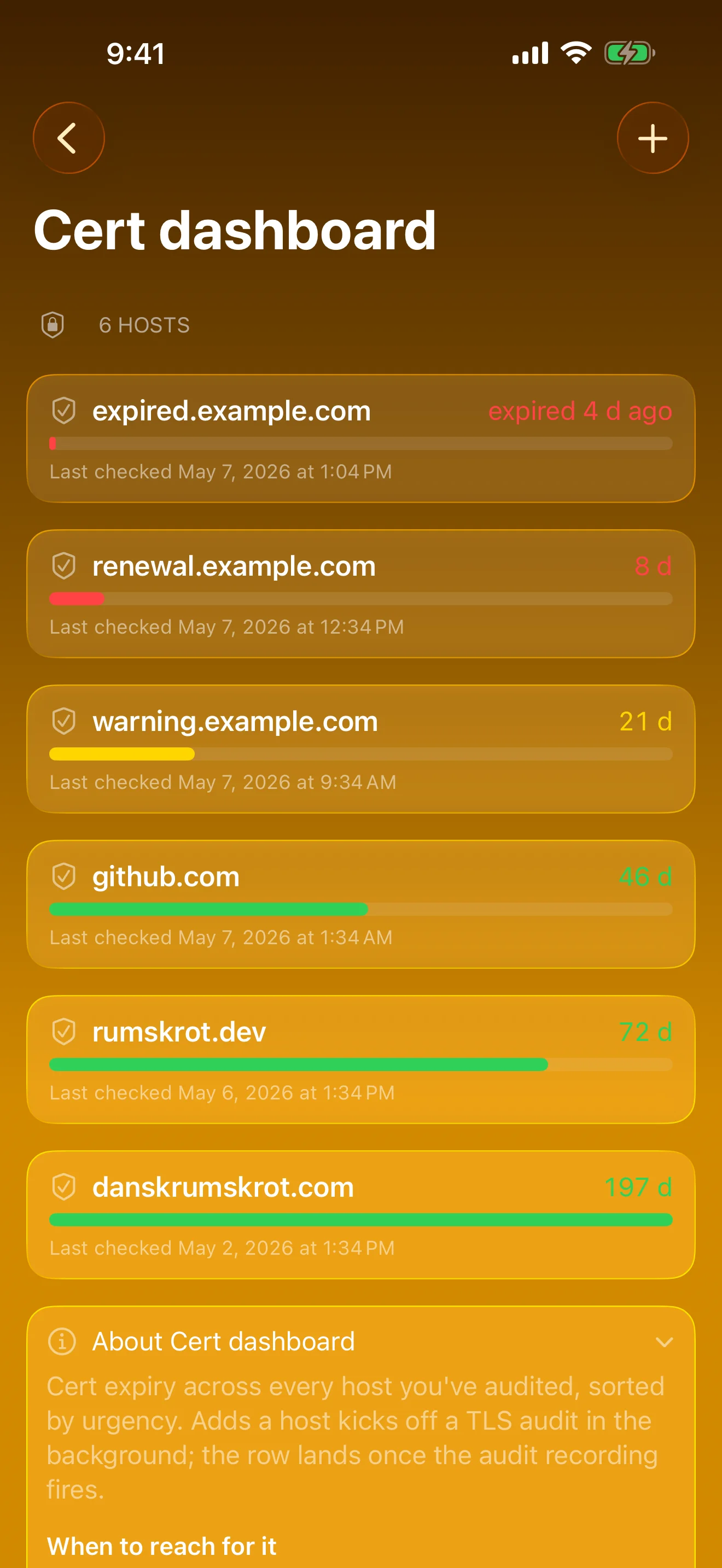
Never Miss a Cert Expiry
Every audited host, most urgent first
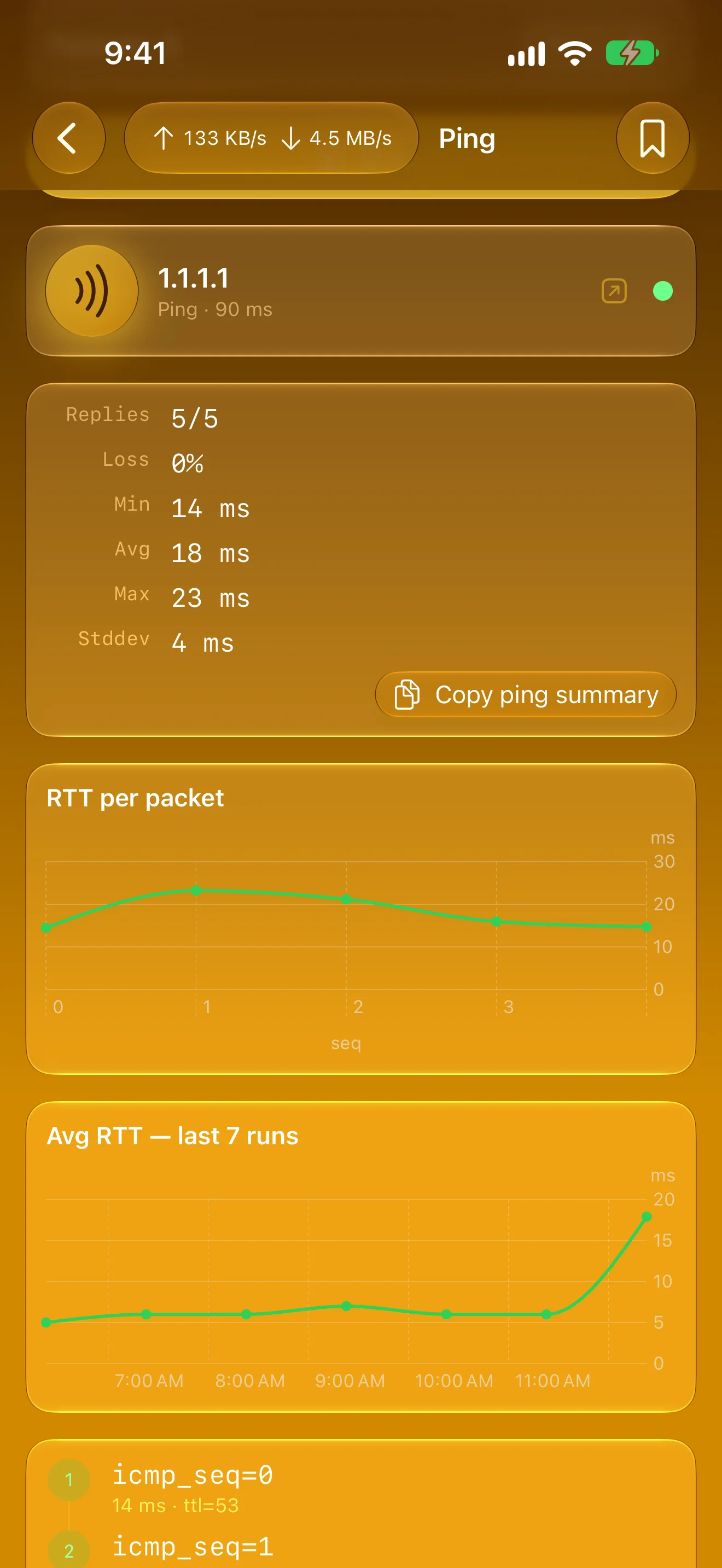
Watch Latency Over Time
Every packet, plus the trend across runs
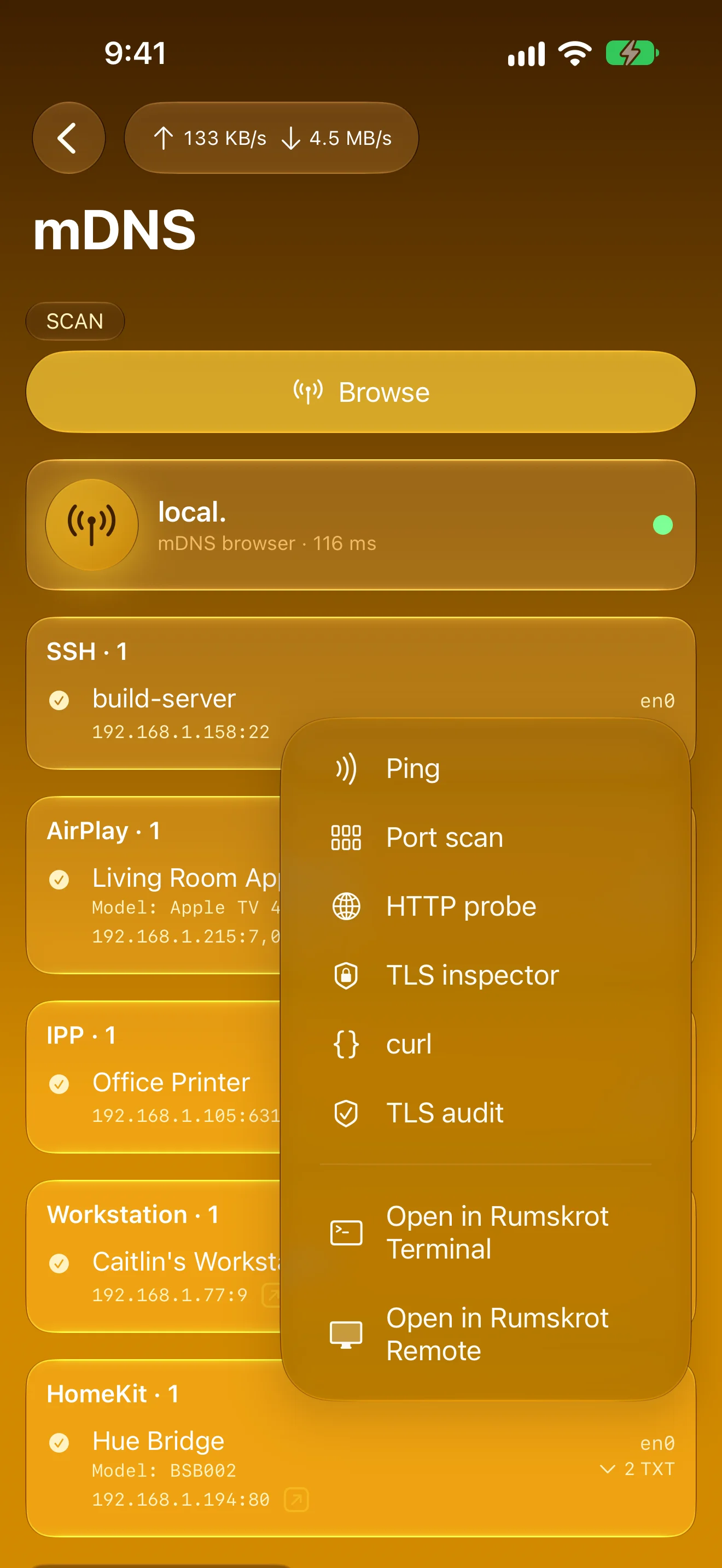
Found It? Take It Anywhere
Route any host to another tool, or open it in Terminal
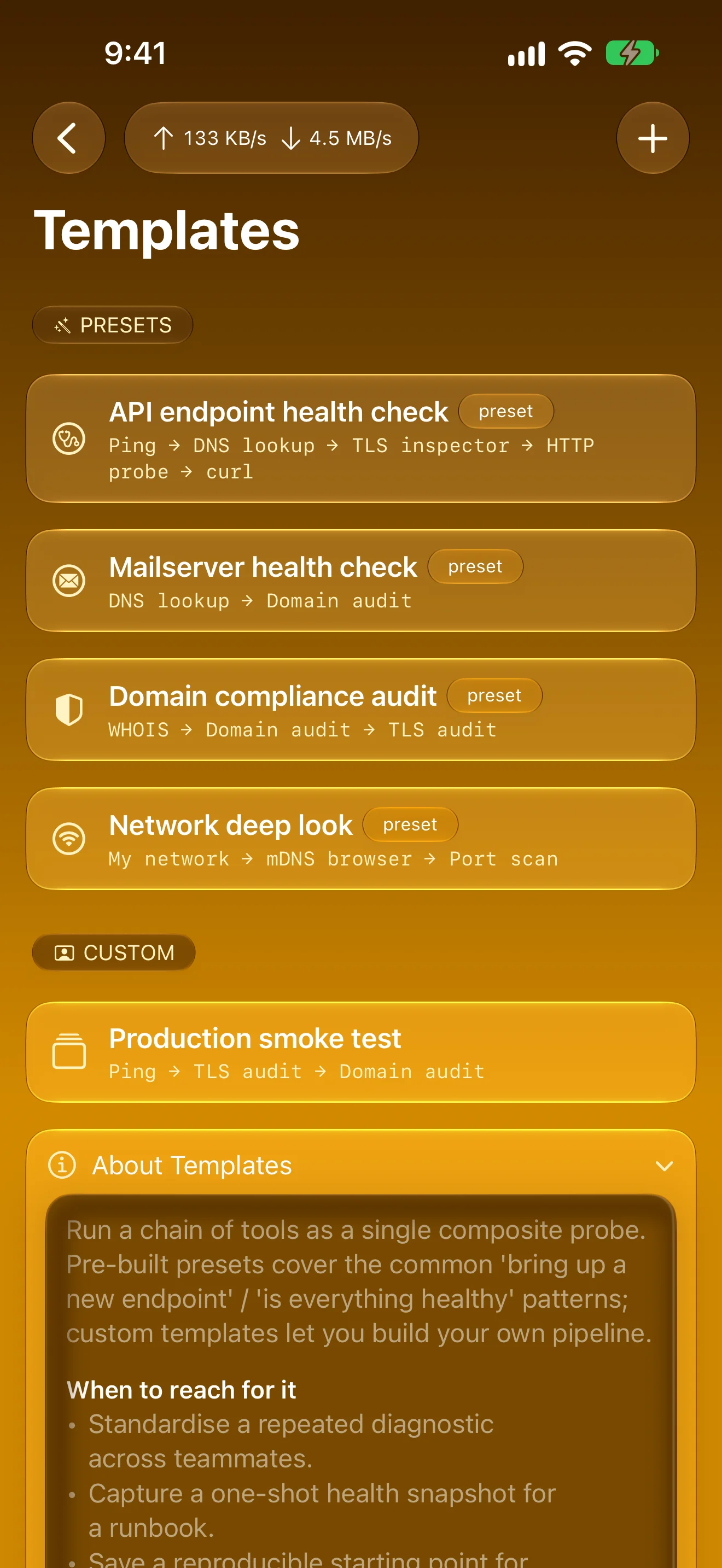
Chain Tools Into One Tap
Presets or your own, runnable from Shortcuts
iPad
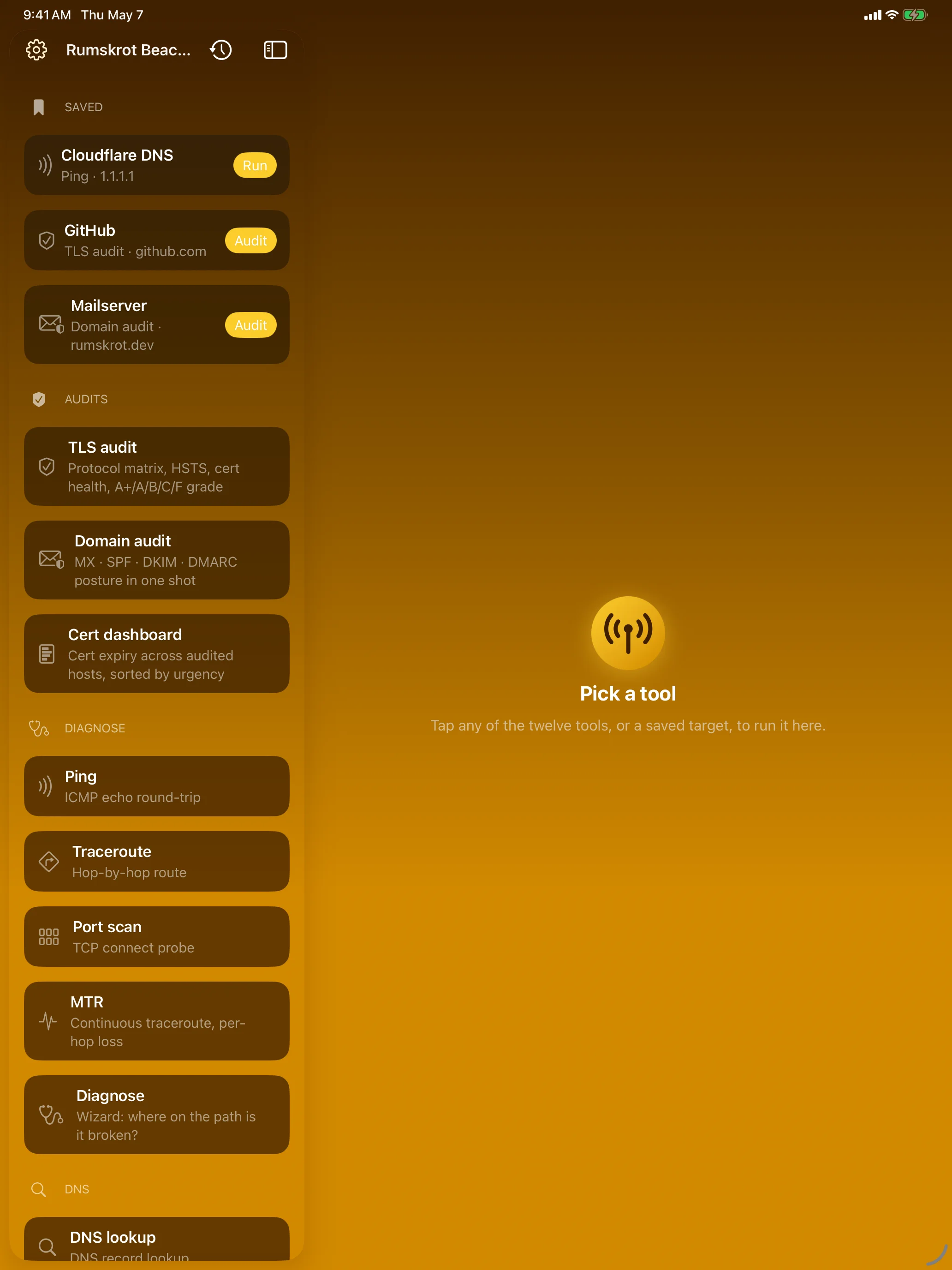
The Network Engineer’s Toolbelt
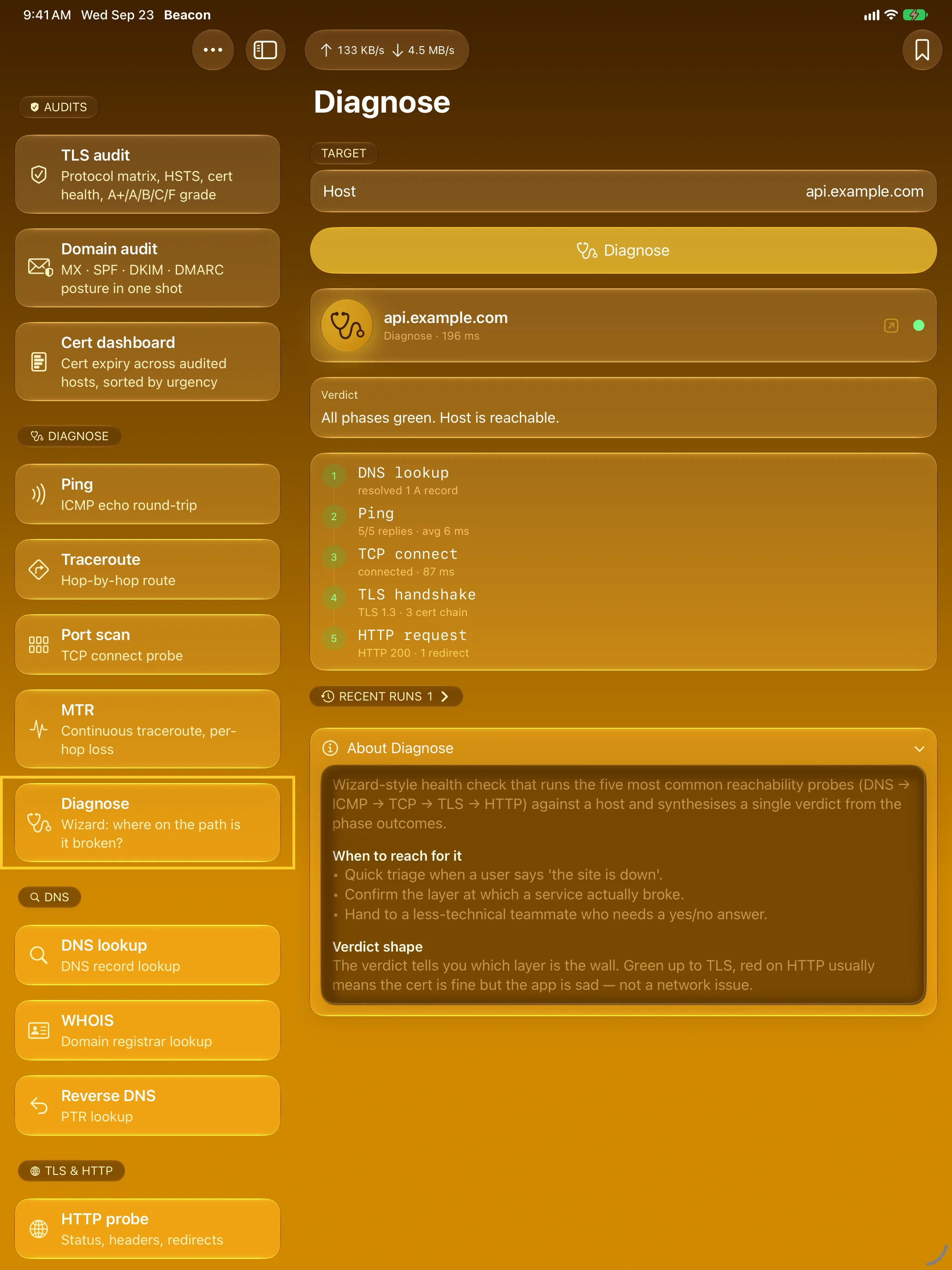
Find Where It Breaks
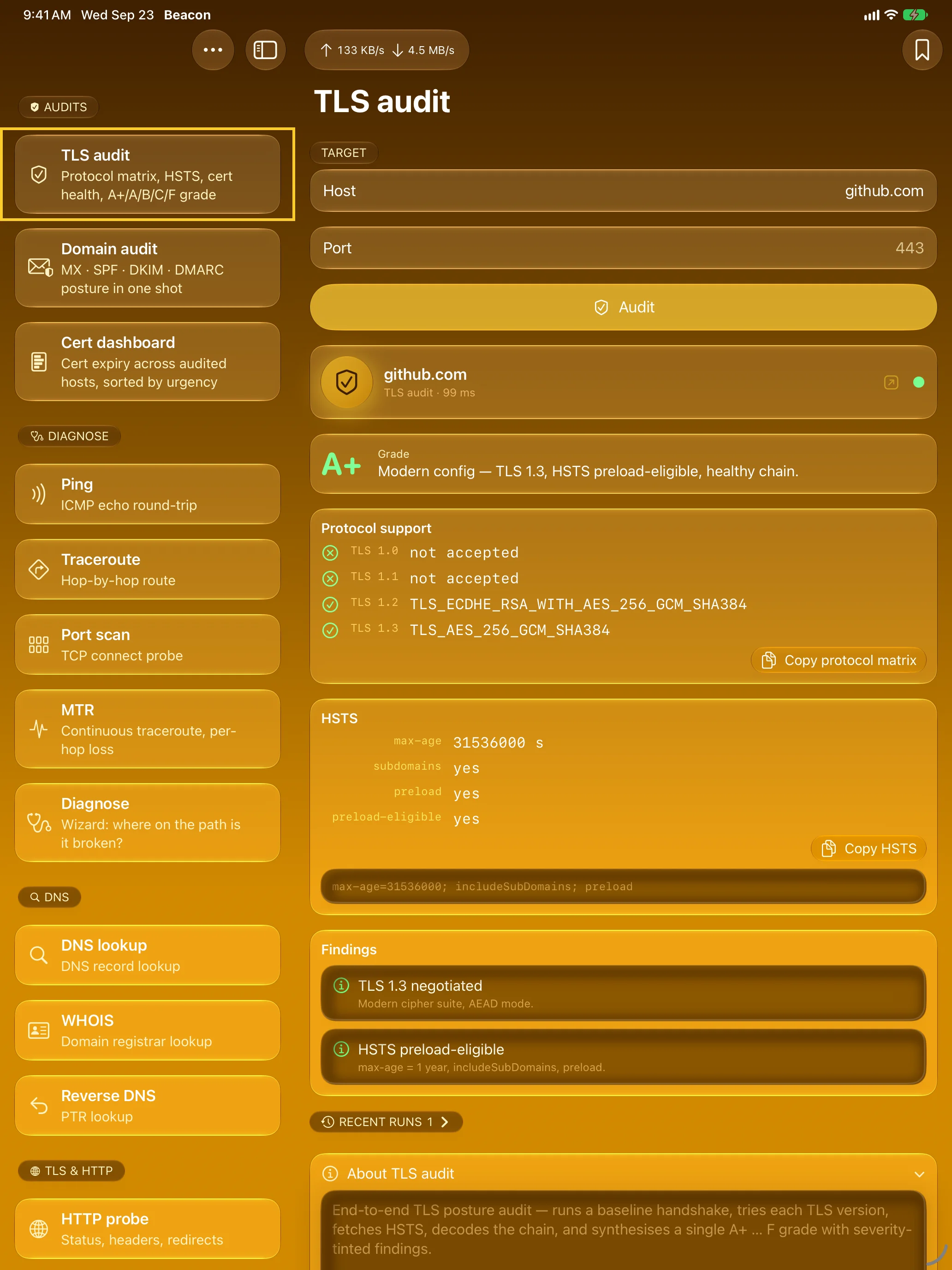
Grade Any Server’s TLS
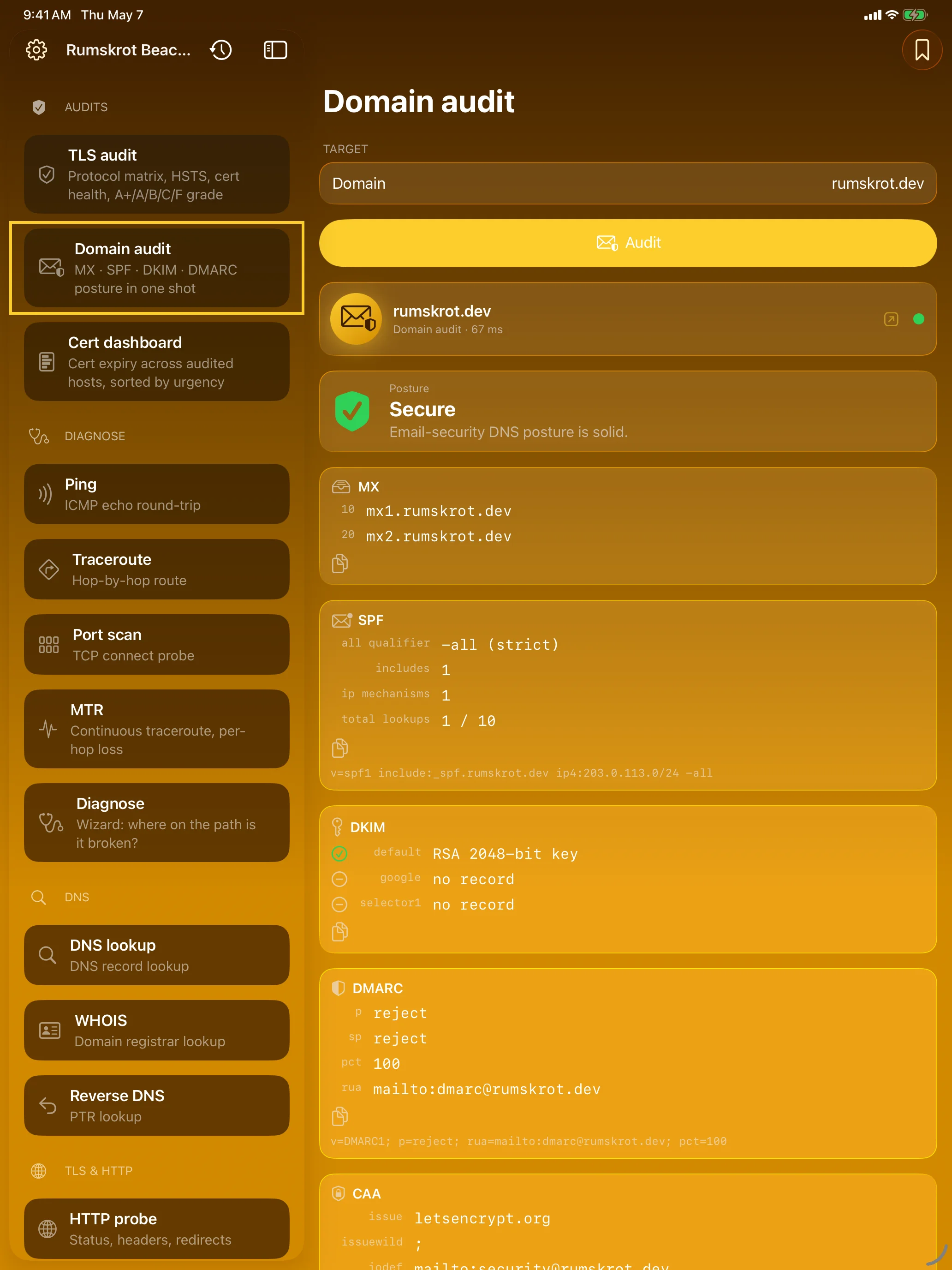
Audit Email DNS
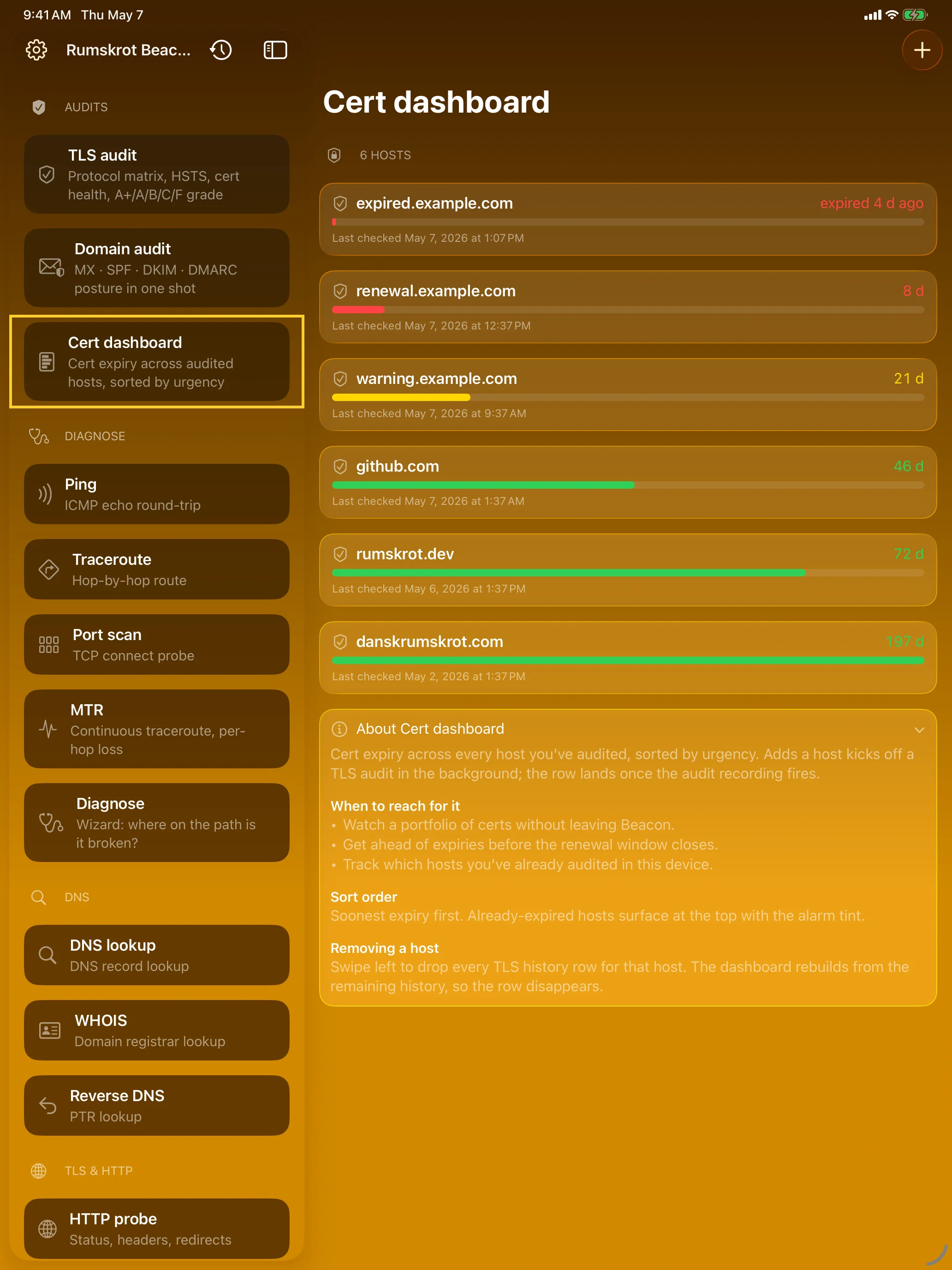
Never Miss a Cert Expiry
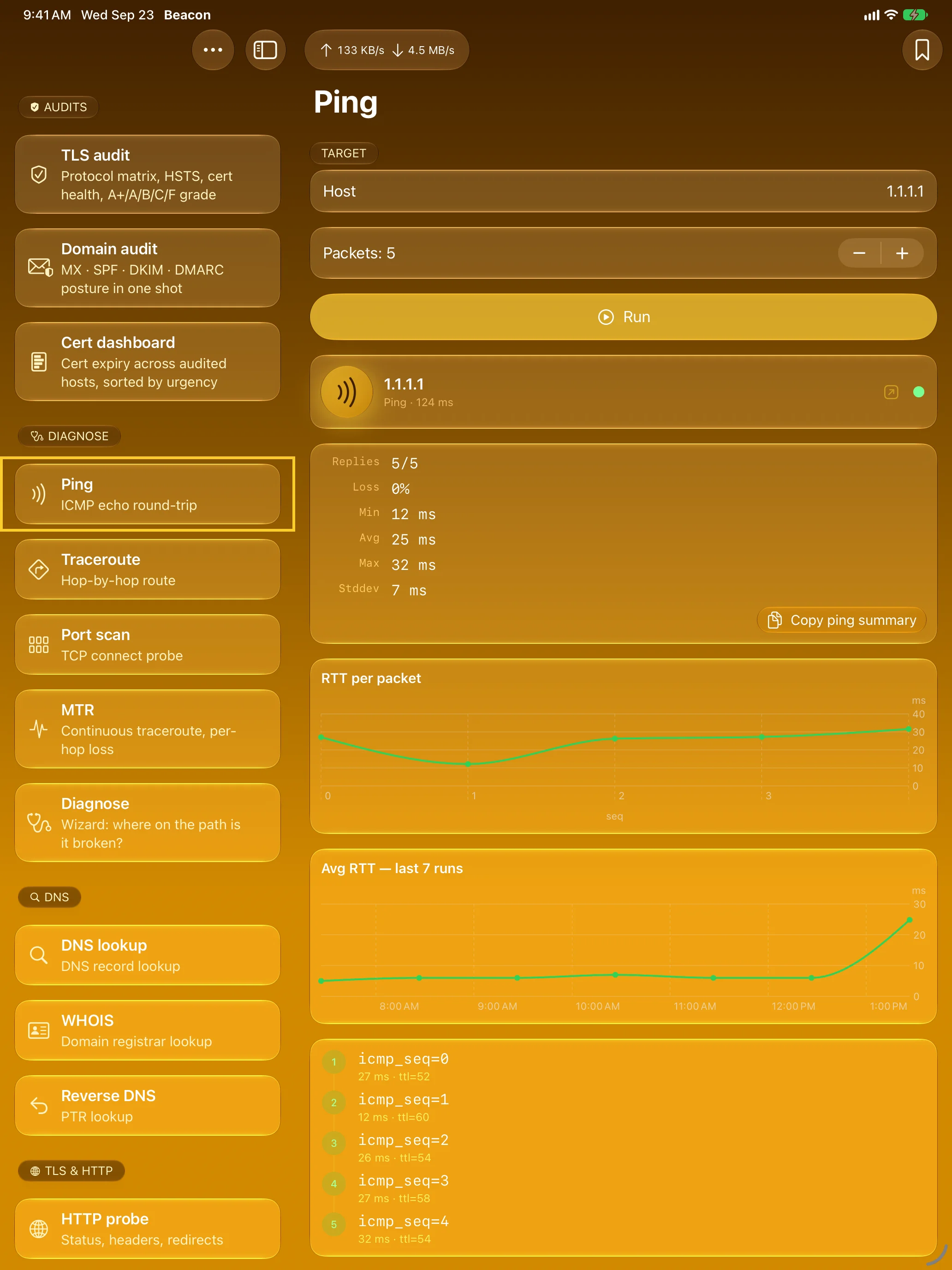
Watch Latency Over Time
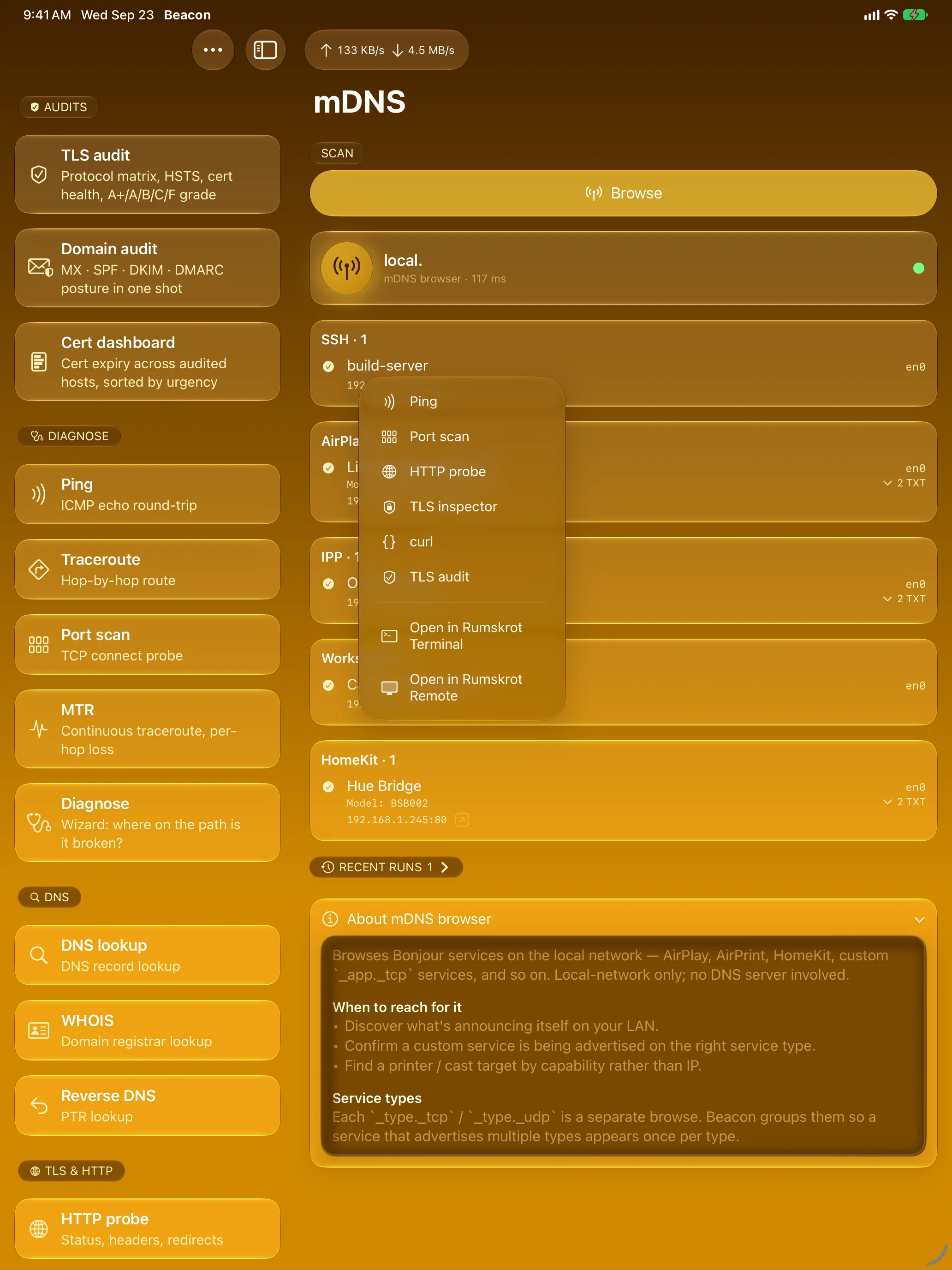
Found It? Take It Anywhere
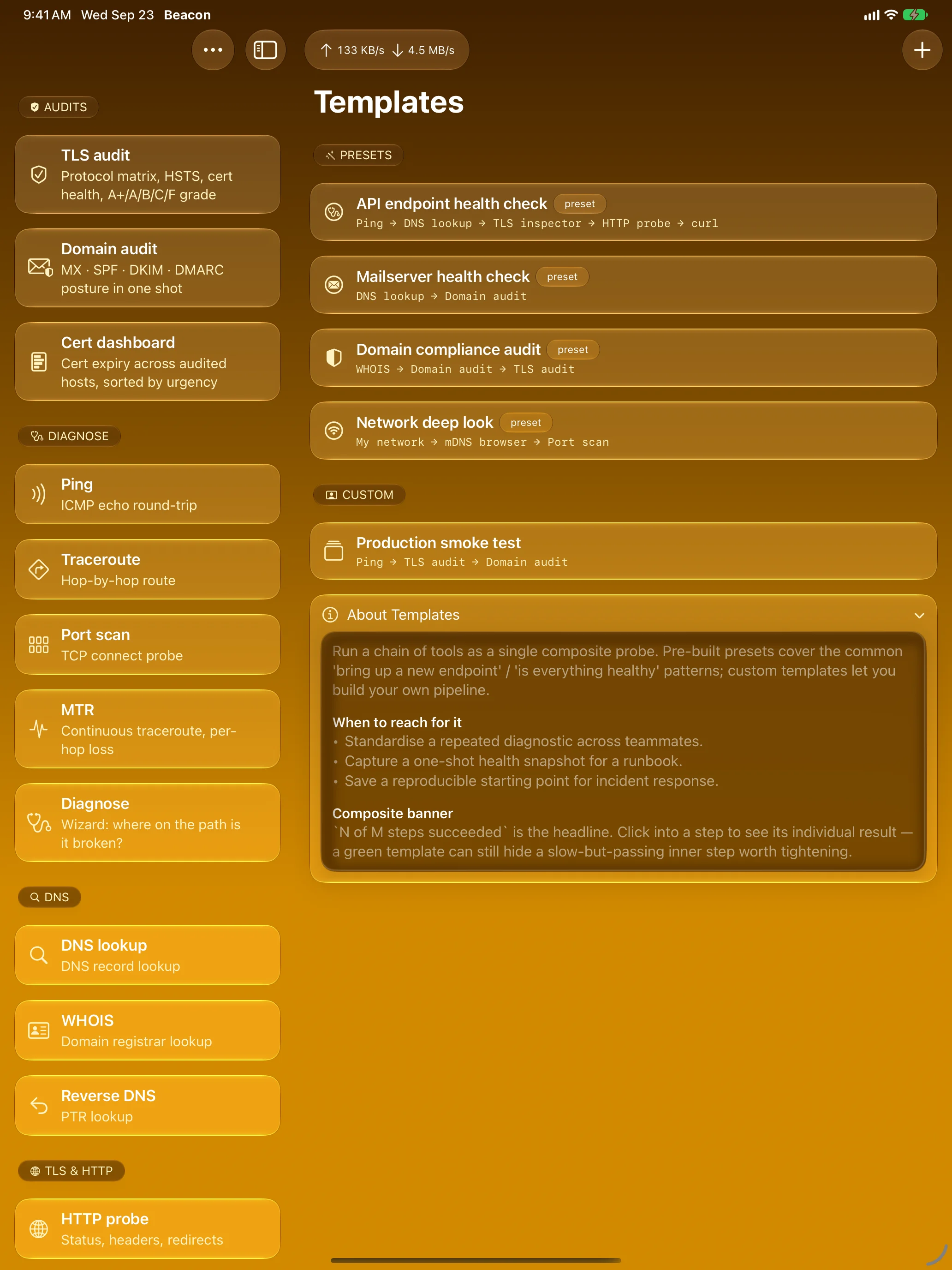
Chain Tools Into One Tap
Apple Watch
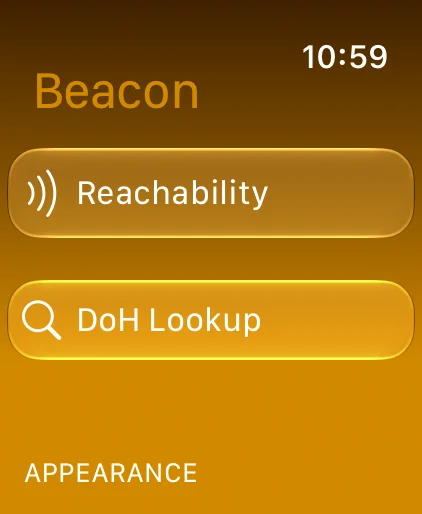
Network Checks on Your Wrist
Features
Diagnose
Runs DNS, ping, TCP, TLS and HTTP in order and tells you which step in the path is broken.
TLS Audit
Protocol support, HSTS and certificate chain health, graded A+ to F on your device.
Domain Audit
MX, SPF, DKIM, DMARC, CAA and BIMI in one run, with one verdict: Secure, Partial or Misconfigured.
Cert Dashboard
Every host you’ve audited, most urgent expiry first. Add a host and its audit runs in the background.
Ping with Trends
Per-packet round trips, loss and min / avg / max — plus the trend across past runs against the same host.
mDNS / Bonjour
See the services on your network, grouped by type and resolved to address and port.
Route Any Result
Every IP, host and port has a routing menu: send it to another tool, or open SSH and VNC services in Rumskrot Terminal or Rumskrot Remote.
Templates
Chain tools into a single run. Start from presets like “API endpoint health check”, or build your own.
Shortcuts
Every tool is an App Intent, so Shortcuts and automations can run any probe or template.
MTR
Continuous traceroute with loss and latency for each hop. Watch the path live.
curl, Built In
Full HTTP request builder with method, headers and body, plus “Copy as curl”.
DNS, WHOIS, ASN
Record lookups with TTLs, reverse DNS, parsed WHOIS and IP-to-ASN, all from your device.
HTTP Probe & Port Scan
Status, headers, redirect chain and timing breakdown. TCP port scan with service hints.
TLS Inspector
Certificate chain, negotiated version, cipher, ALPN, trust verdict, SANs and fingerprint.
Subnet & My Network
CIDR maths, plus your active path, interfaces and public IPs.
History & Saved Targets
Every probe is recorded. Keep the hosts you check most on the home screen and re-run with one tap.
Private by Design
Everything runs on your device. No analytics, no tracking, no third-party SDKs, no accounts.
On Your Wrist
The watch companion checks HTTP reachability and looks up DNS records over HTTPS, straight from Cloudflare’s public resolver.
About
Rumskrot Beacon is built natively in Swift on top of Network.framework, the dnssd C API, and Swift Concurrency — no third-party SDKs, no relays, no Beacon server. Every probe goes straight from your device to the host you asked about.
If you reach for Beacon during outages, it pairs naturally with the rest of the toolbelt: Rumskrot Terminal for SSH, and Rumskrot Remote for remote-desktop control of your Macs and PCs. Beacon hands off to both the moment it finds an SSH or VNC service.
Join the beta
Want a say in where Rumskrot Beacon goes next? Join the public beta on TestFlight and try new builds before they reach the App Store.
The beta runs in Apple’s TestFlight app. Install TestFlight, then tap Join — TestFlight installs the beta build of Rumskrot Beacon and offers each new build as it’s ready.
Purchases in TestFlight builds are test purchases: you’re never charged, and they don’t carry over to your account or to the App Store version. Purchases in the App Store version are real — please make sure which version you’re using; we can’t take responsibility for purchases made by mistake.
Spot a bug, a rough edge or a missing feature? Take a screenshot in the beta build and TestFlight offers to send it as feedback, or use Send Beta Feedback in the TestFlight app. Every report is read and helps decide what gets built and fixed next — there’s no support desk behind it, so reports aren’t answered one by one.
To leave the beta, open Rumskrot Beacon in the TestFlight app and tap Stop Testing.