Rumskrot Nearfield
Not just the link on it — every byte on it
Hold a sticker, card or tag to your iPhone and Nearfield tells you what chip it is, who made it, how much room is left, whether it carries an originality signature — and decodes every record. Then write exactly what you mean, onto one tag or a whole run of them.
Public Beta Open to everyone on TestFlight — the latest build, before it reaches the App Store.
- Inspector down to the page. Full NTAG memory in hex and ASCII, the capability container decoded, record bytes labelled field by field.
- Write links, Wi-Fi, contacts and Wallet passes. Stack several records on one tag with a live byte count; clone, erase, batch-write.
- Protect and probe. NTAG password protection, and an APDU console with status words translated to plain English.
Use it when… you’re programming forty stickers for the office, or a mystery tag turns up and you want to know what’s really on it.
iPhone
Know What You’re Holding
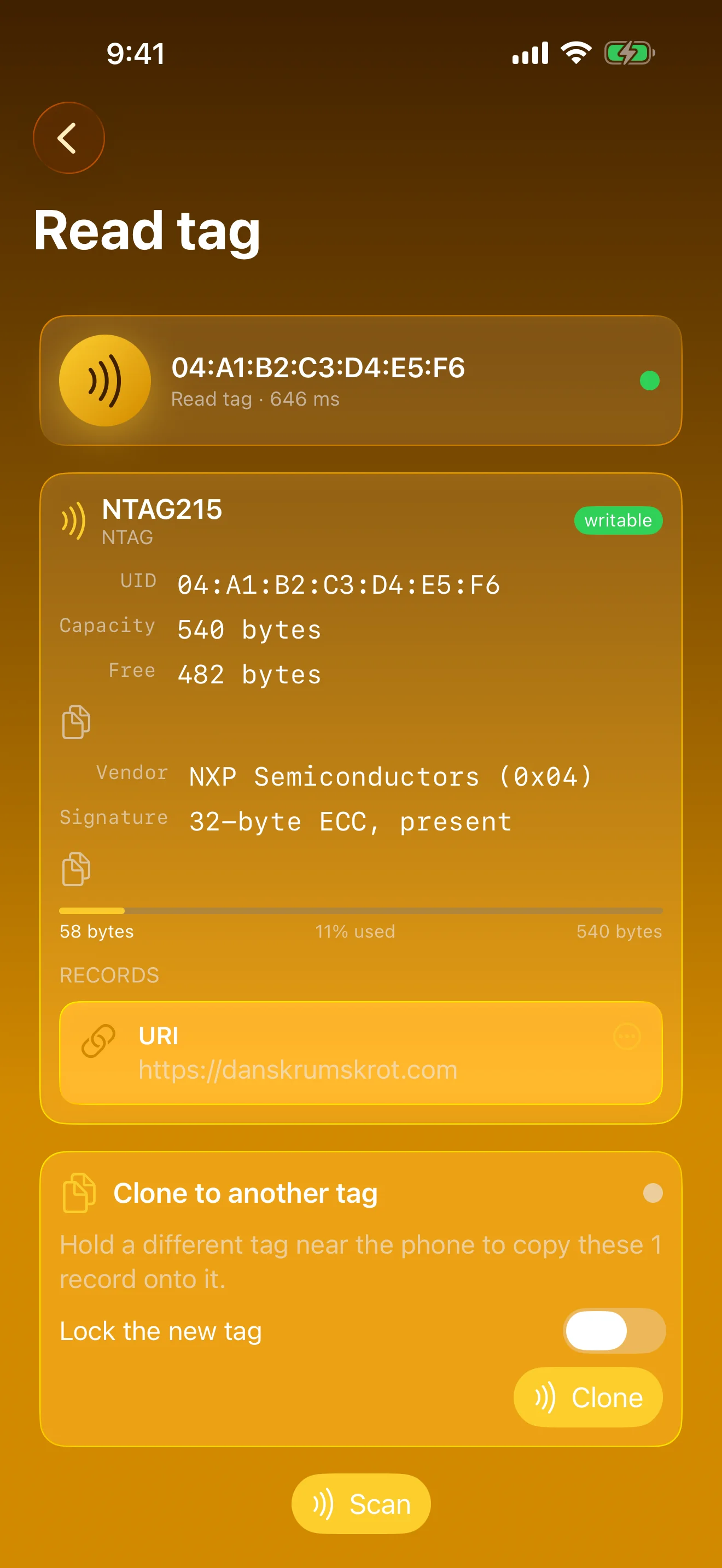
Chip, maker, capacity and signature on every read
Every NFC Tool, One Place
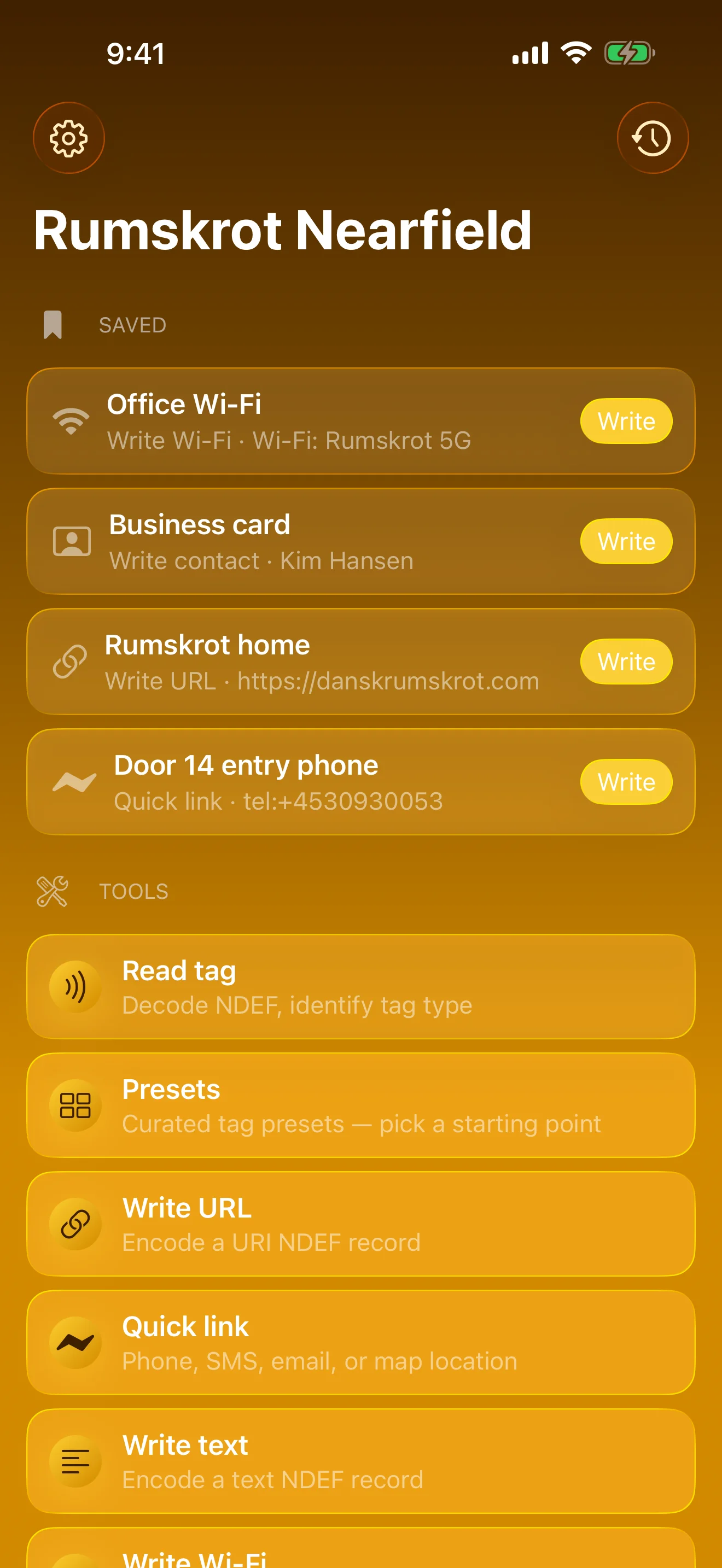
Read, write, inspect, protect — saved tags one tap away
Stack Records, Write Once
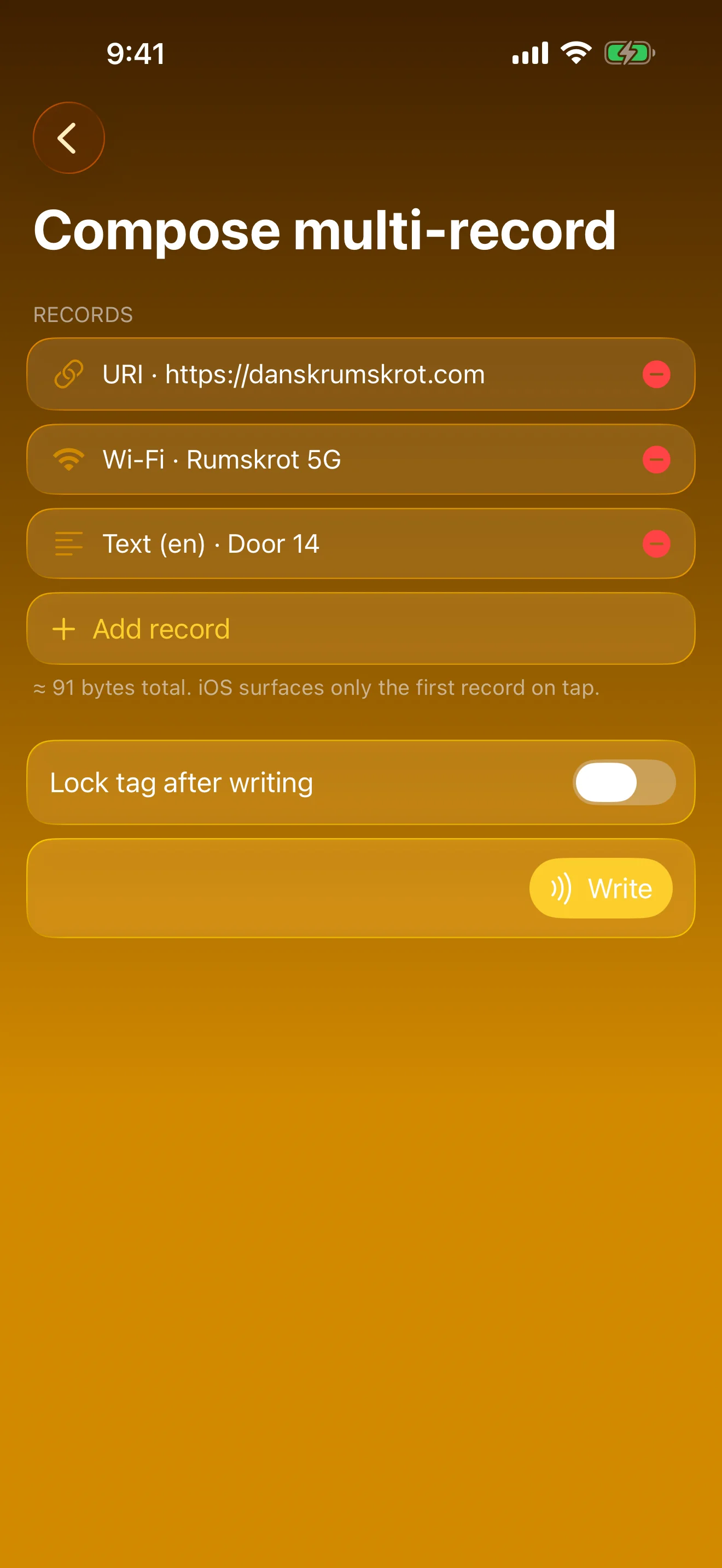
Link, Wi-Fi and text on one tag, live byte count
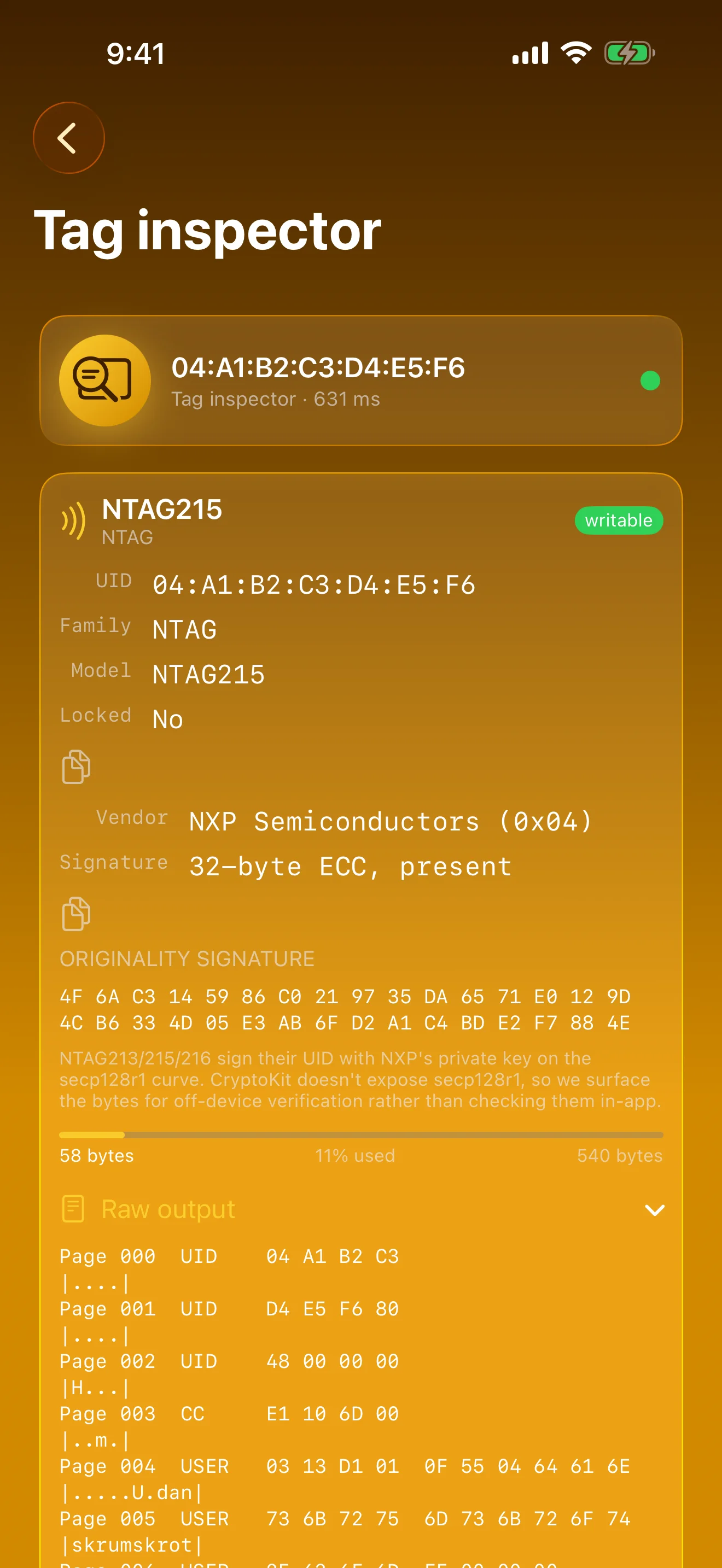
Every Page, in Hex
Full NTAG memory, capability container decoded
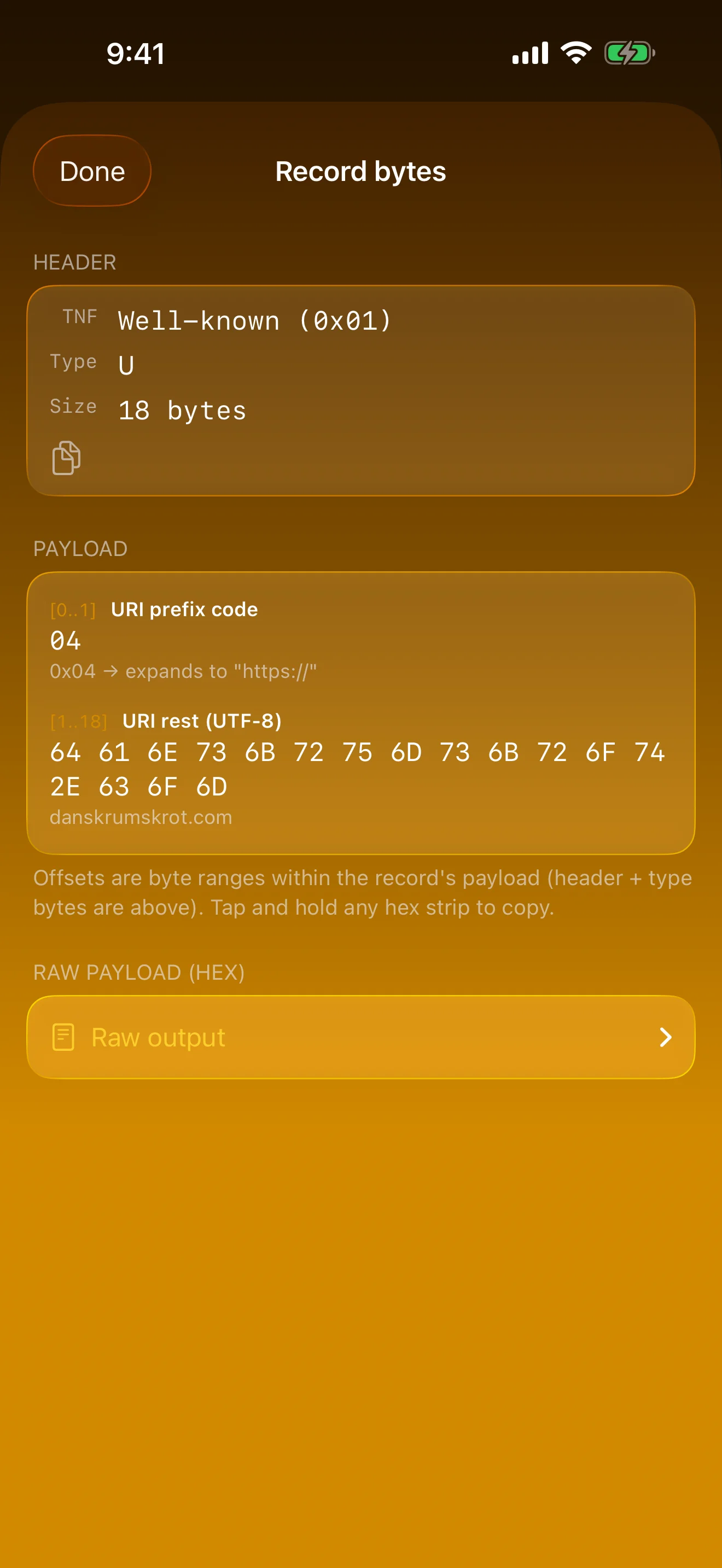
Every Byte, Labelled
Tap a record, see its bytes annotated
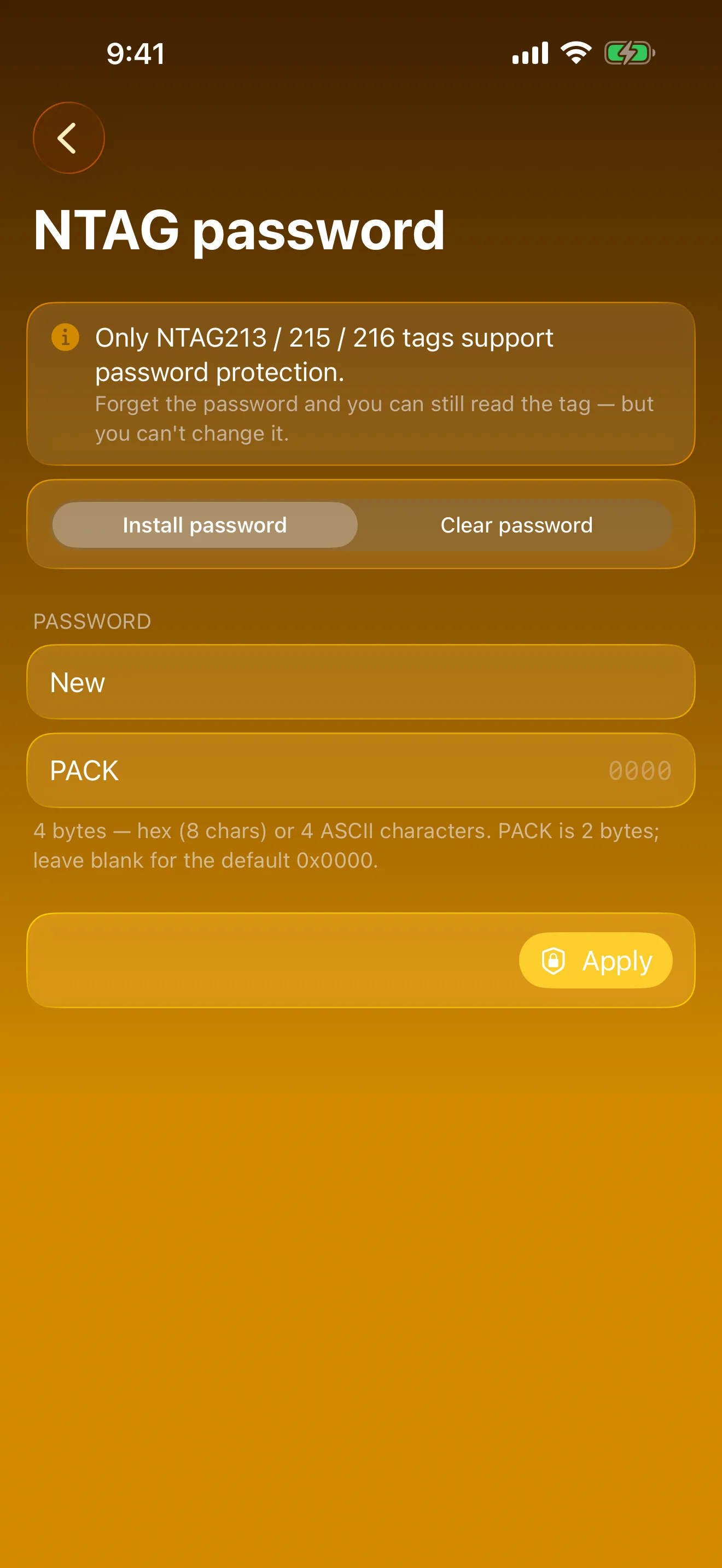
Lock Writes, Keep Reads
Password-protect NTAG tags, then clear it again
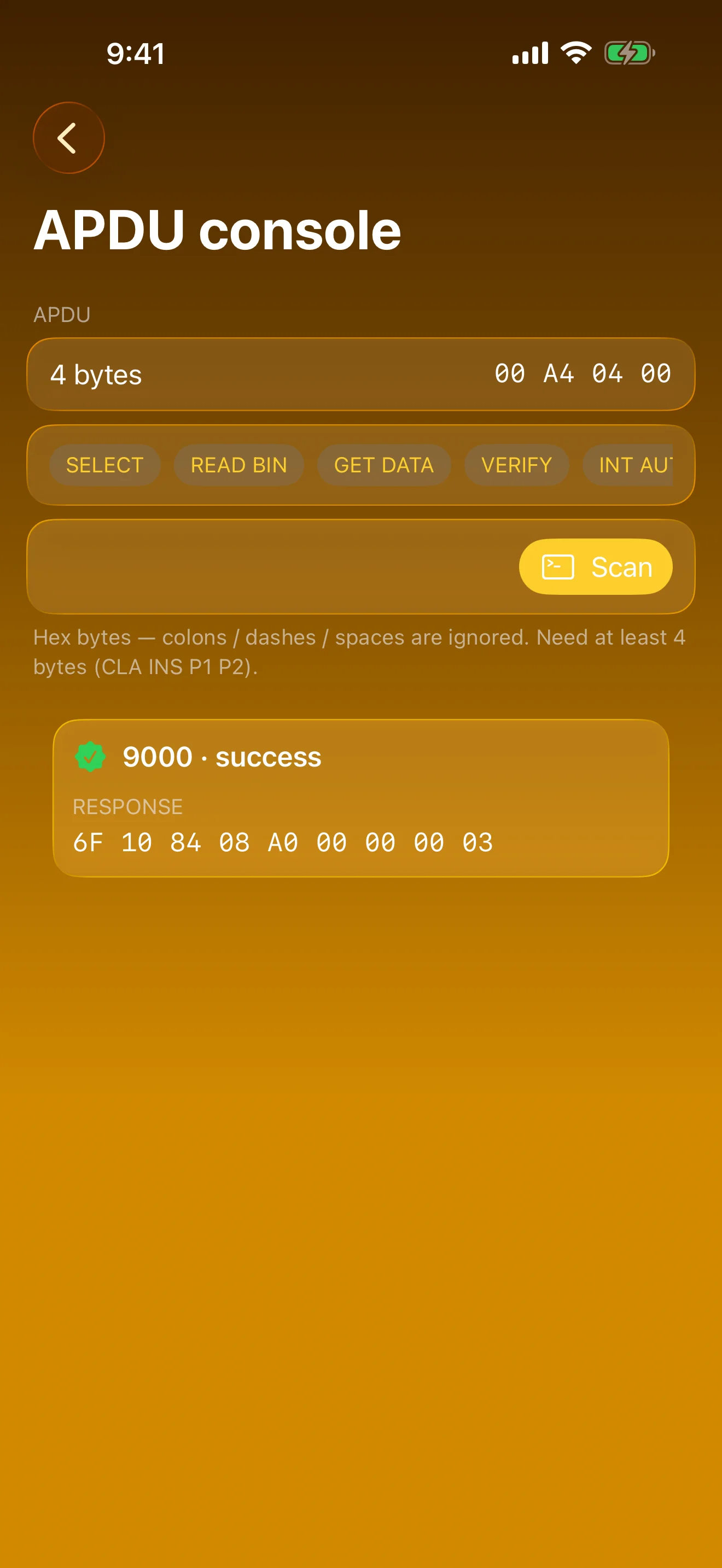
Talk Raw ISO 7816
APDUs to Type 4 tags, status words translated
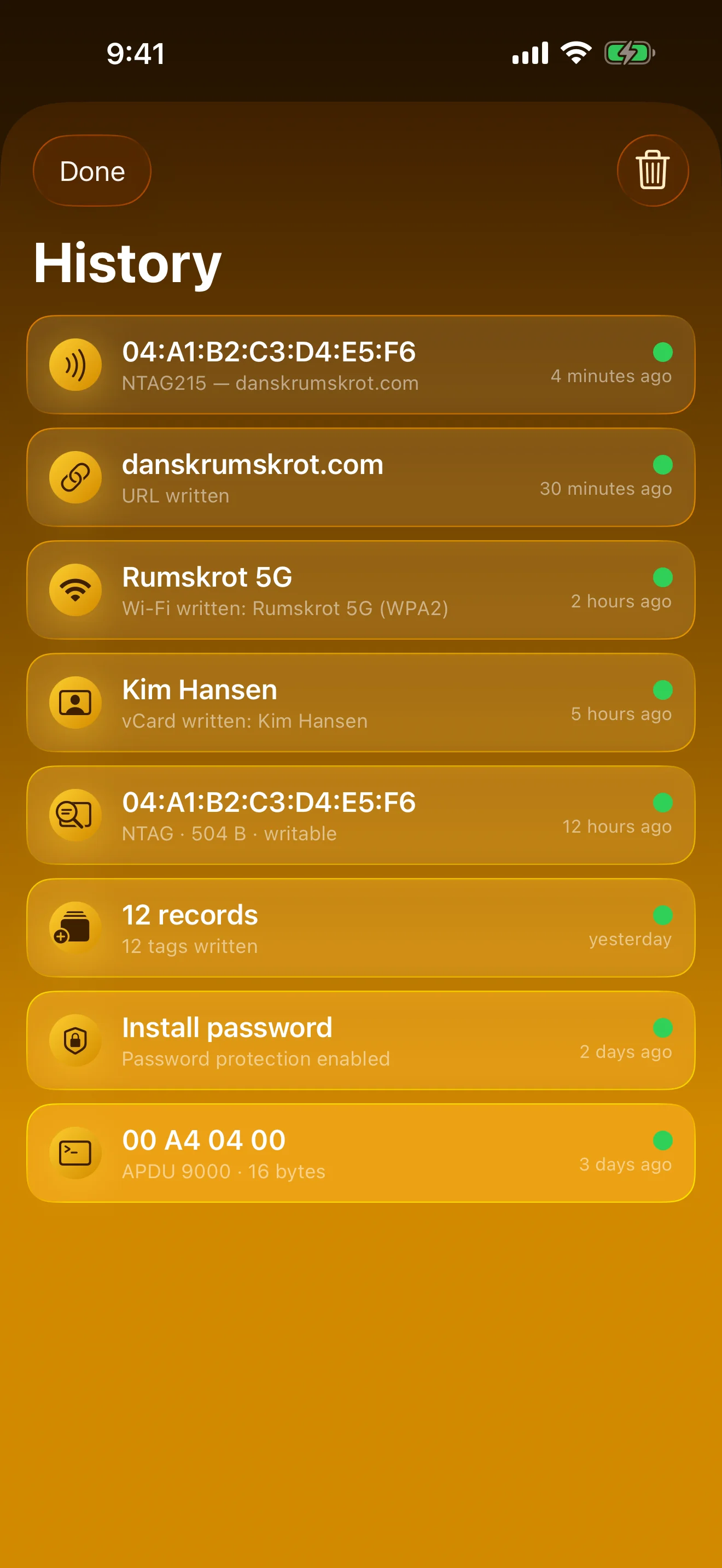
Every Scan, Remembered
Kept on-device. No account, no cloud.
Features
Read Tag
Chip family, manufacturer, NTAG213/215/216 variant, capacity, lock state and every NDEF record decoded — in one scan.
Originality Signature
The 32-byte NTAG21x signature, fetched and shown for off-device verification that a tag is genuine NXP.
Tag Inspector
The full NTAG memory, page by page, in hex and ASCII, with the capability container decoded.
Record Bytes
Tap any record to see its bytes labelled field by field: URI prefixes expanded, Text split into language and body, Wi-Fi walked TLV by TLV.
Write Anything
Links, text, Wi-Fi (open, WPA2, WPA3) and contact cards. Quick links for phone, SMS, email and maps — no typing tel: by hand.
Compose & Batch
Stack several records onto one tag with a live byte count, or write the same payload onto a whole run of tags.
Presets, Clone & Erase
Curated starting points, one-tap tag cloning, and a clean erase with an optional permanent lock.
NTAG Password
Add or remove write protection on NTAG213/215/216. Reads keep working; only writes need the password.
APDU Console
Raw ISO 7816 commands to NFC Forum Type 4 tags, with status words translated to plain English.
Saved Tags & History
Bookmark any payload and write it again with one tap. Every read and write is kept so you can go back to it.
Shortcuts
Every tool is an action for Shortcuts, Siri and the Action button.
Private by Design
Everything runs on-device. No server, no account, no analytics, no third-party SDKs.
About
Rumskrot Nearfield is built natively in Swift on top of CoreNFC and Swift Concurrency — no third-party SDKs, no relays, no servers. Every read and write happens on your iPhone’s NFC radio.
Nearfield pairs naturally with the rest of the toolbelt: Rumskrot Beacon for network probes, Rumskrot Pulse for Bluetooth LE, Rumskrot Terminal for SSH, and Rumskrot Remote for VNC.
Join the beta
Want a say in where Rumskrot Nearfield goes next? Join the public beta on TestFlight and try new builds before they reach the App Store.
The beta runs in Apple’s TestFlight app. Install TestFlight, then tap Join — TestFlight installs the beta build of Rumskrot Nearfield and offers each new build as it’s ready.
Purchases in TestFlight builds are test purchases: you’re never charged, and they don’t carry over to your account or to the App Store version. Purchases in the App Store version are real — please make sure which version you’re using; we can’t take responsibility for purchases made by mistake.
Spot a bug, a rough edge or a missing feature? Take a screenshot in the beta build and TestFlight offers to send it as feedback, or use Send Beta Feedback in the TestFlight app. Every report is read and helps decide what gets built and fixed next — there’s no support desk behind it, so reports aren’t answered one by one.
To leave the beta, open Rumskrot Nearfield in the TestFlight app and tap Stop Testing.