Rumskrot Pulse
A Bluetooth LE debugger that goes all the way down
For firmware engineers and makers: Pulse shows what every nearby device is actually advertising, then walks the whole stack — services, characteristics, descriptors, negotiated MTU — with a timestamped log of every CoreBluetooth callback.
View release notes →
- Decoded, not hex. iBeacon, Eddystone and Apple Continuity named in the list; unnamed devices fingerprinted; RSSI sparklines on every row.
- Compare firmware. Every GATT walk is kept; diff two snapshots to see what was added, removed or changed. Nordic Secure DFU built in.
- Automate the probe. Scan, read, write and subscribe from Shortcuts and the Action button; export CSV/JSON. Scans from the watch’s own radio.
Use it when… a characteristic won’t notify, a beacon advertises mystery bytes, or you’re walking the office checking antenna placement.
iPhone
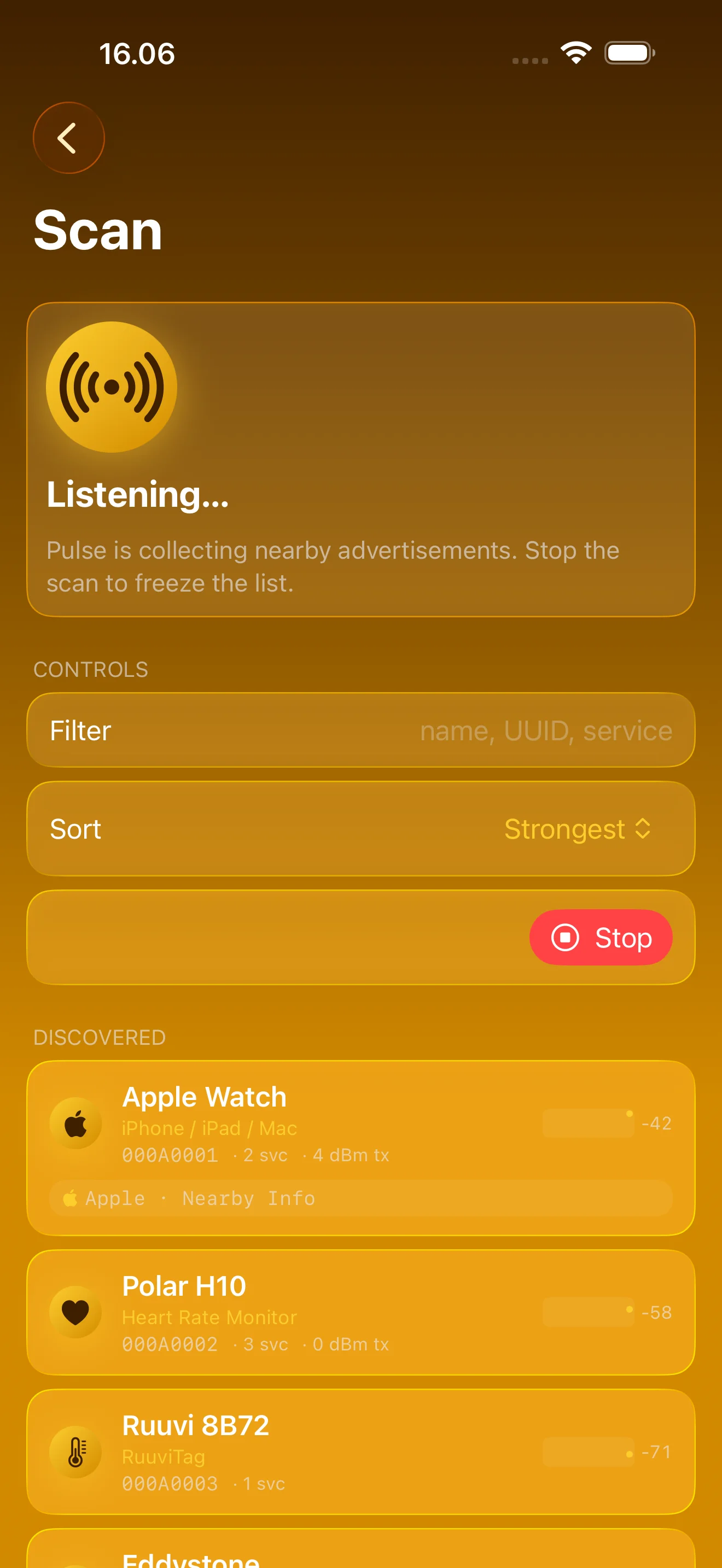
See What Every Device Is Saying
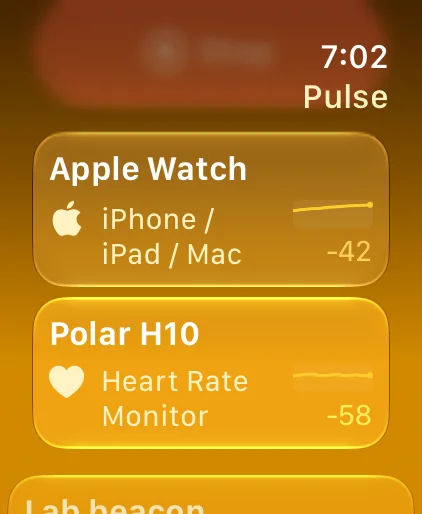
Beacons decoded, unknown devices named, live signal trends — on your wrist too
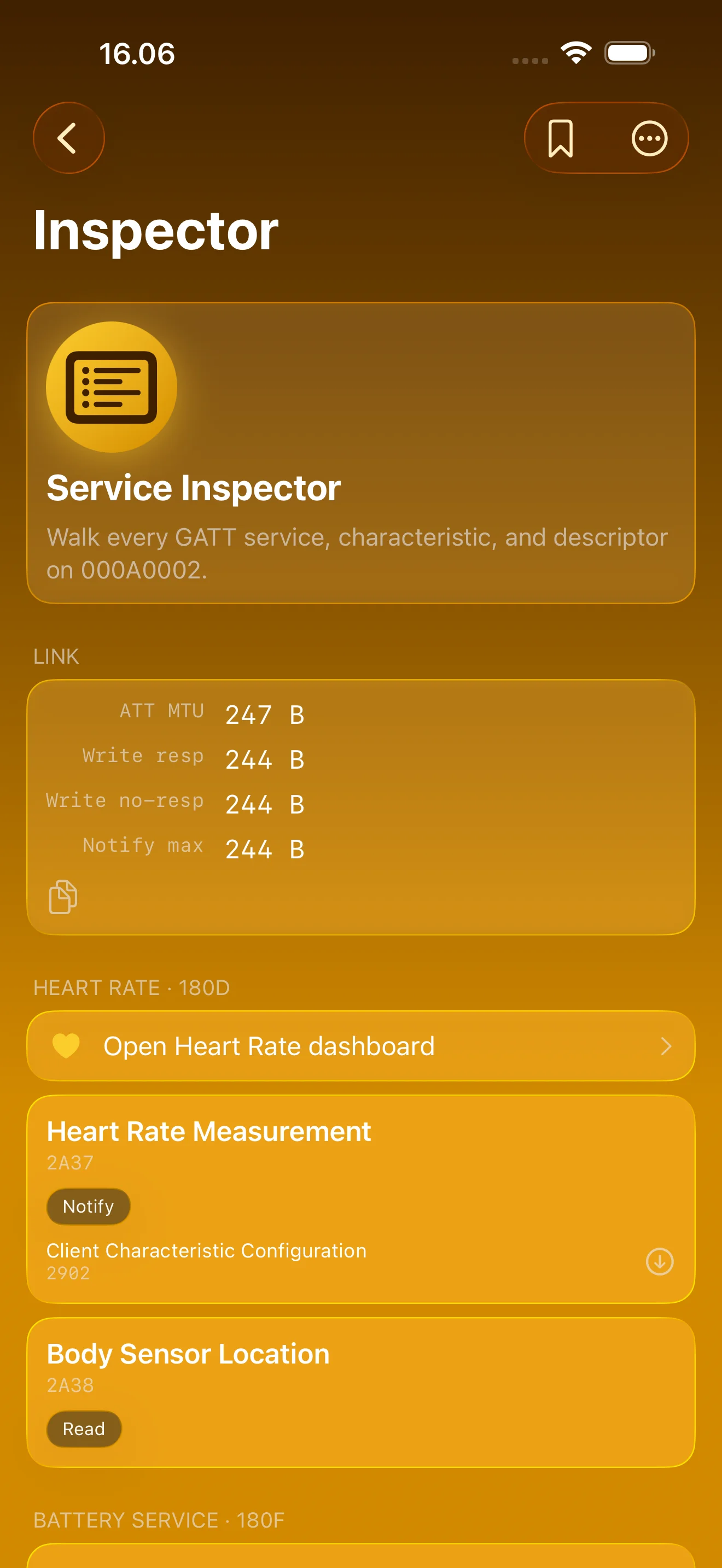
Walk the Whole GATT Tree
Every service and characteristic, negotiated MTU up top
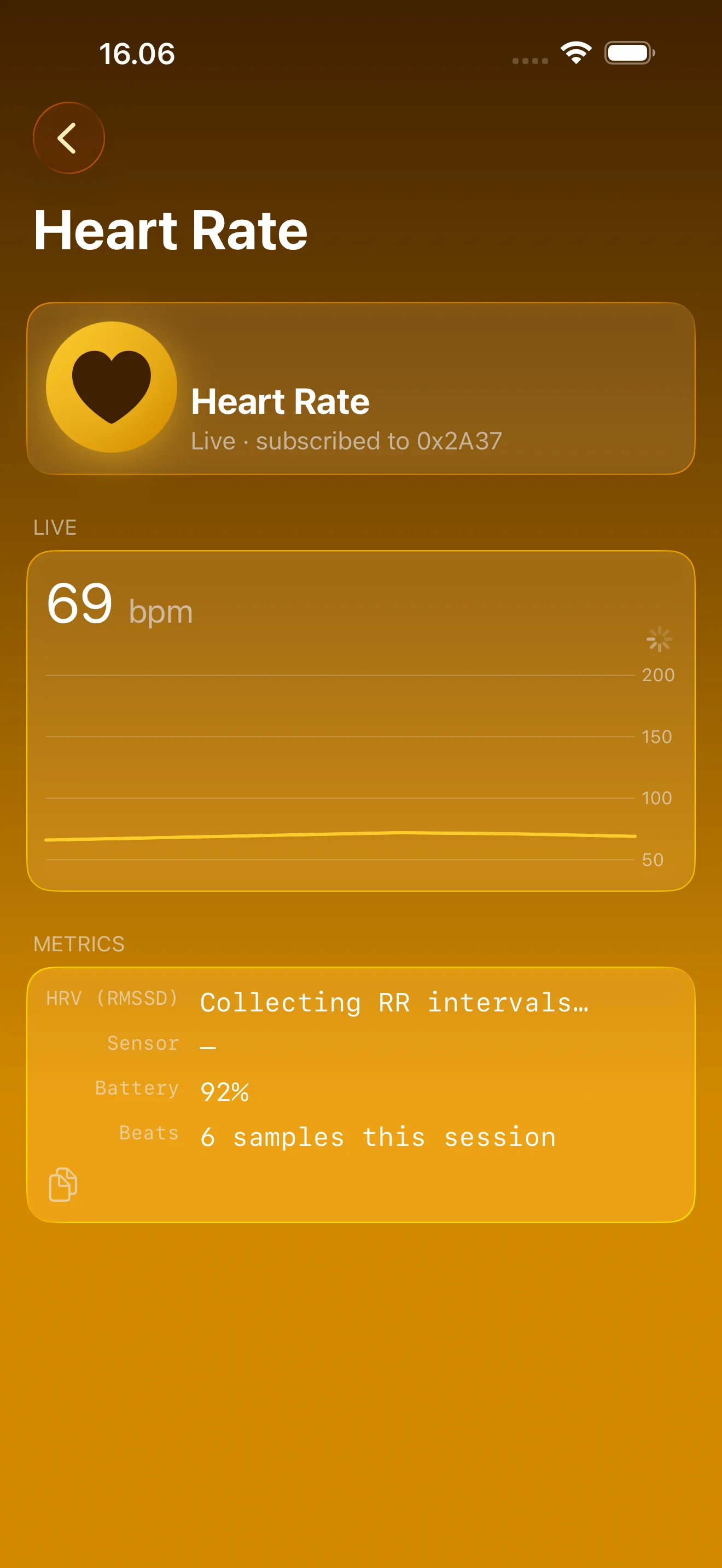
Sensor Data, Not Hex
Live heart rate and HRV, plus battery and environmental dashboards
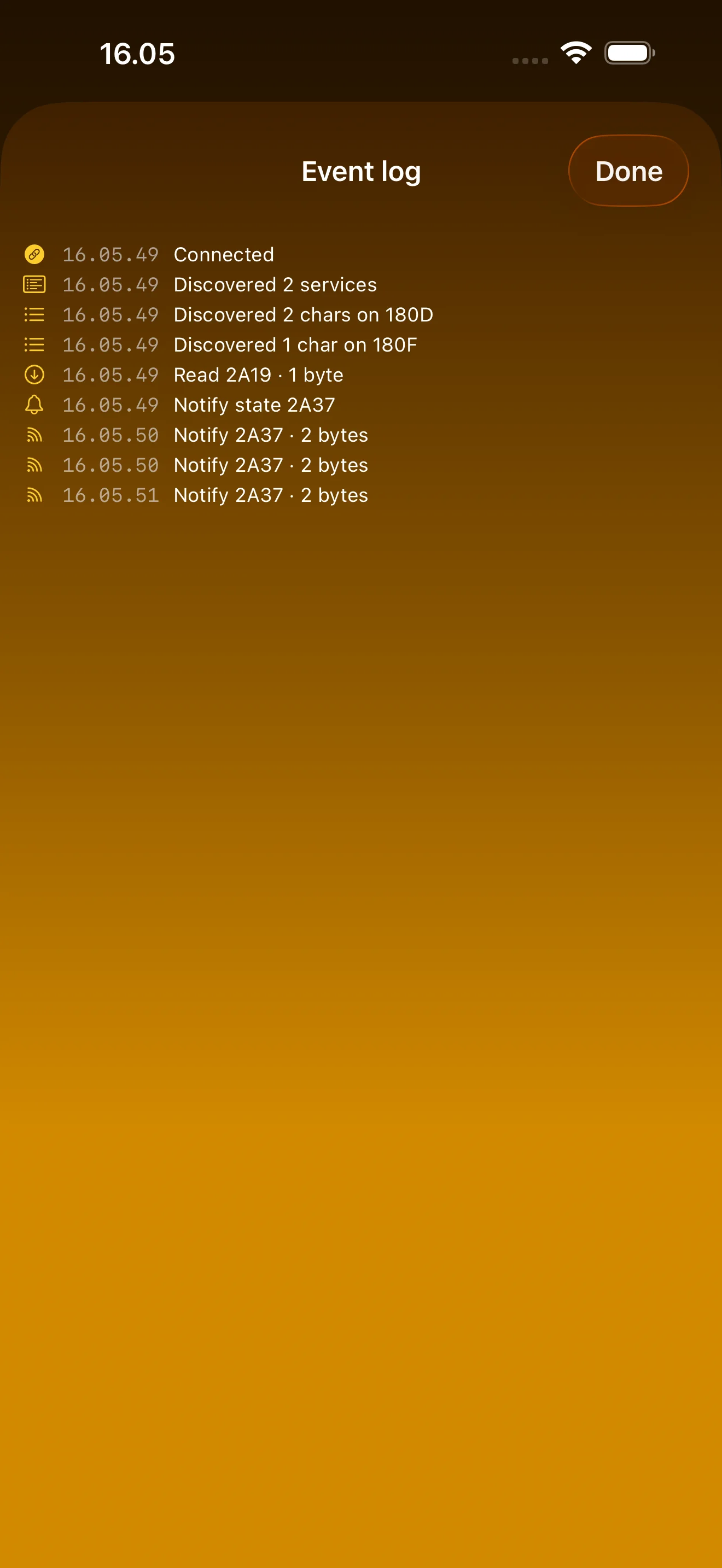
Every Callback, Timestamped
Connect, discover, read, write, notify, disconnect — as they happen
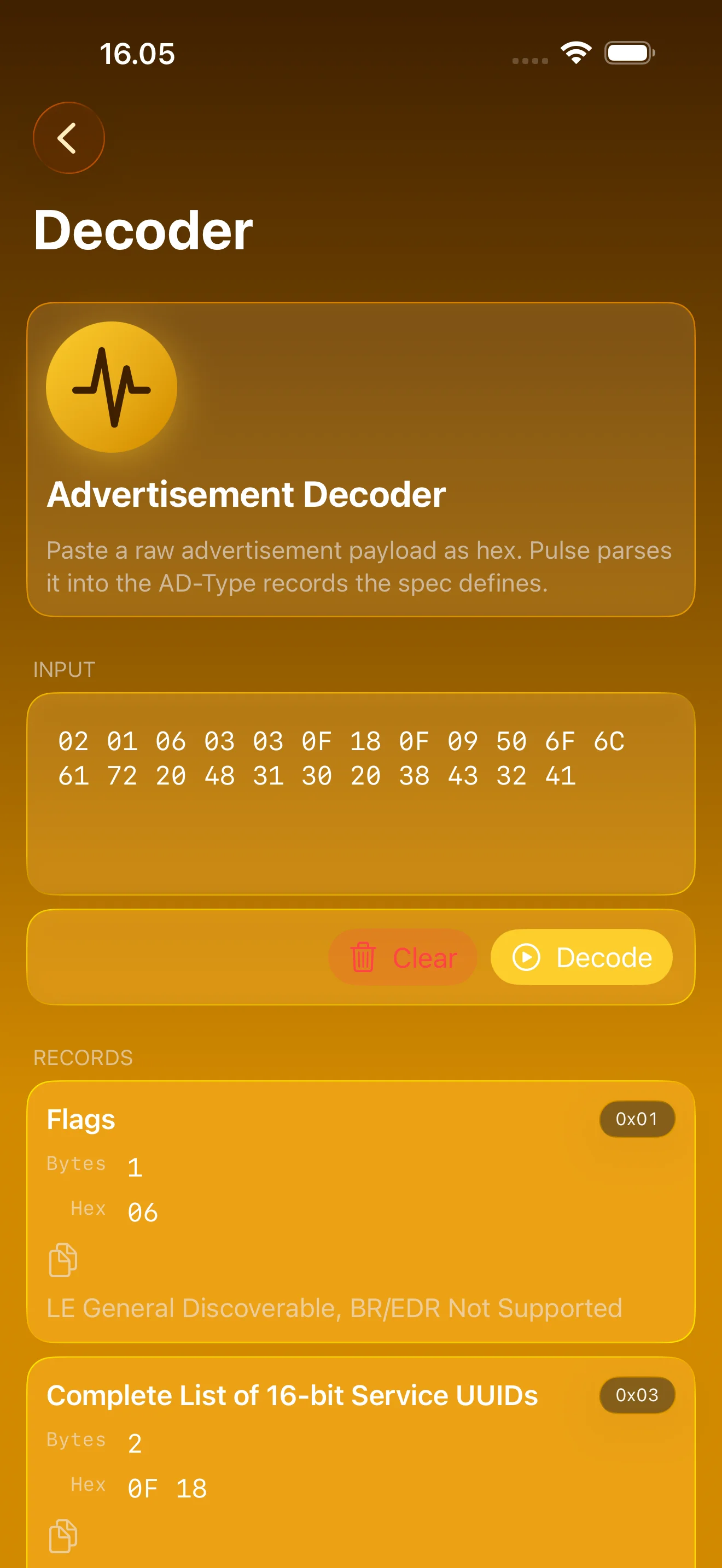
Paste Hex, Get Answers
iBeacon, Eddystone and Apple Continuity, decoded offline
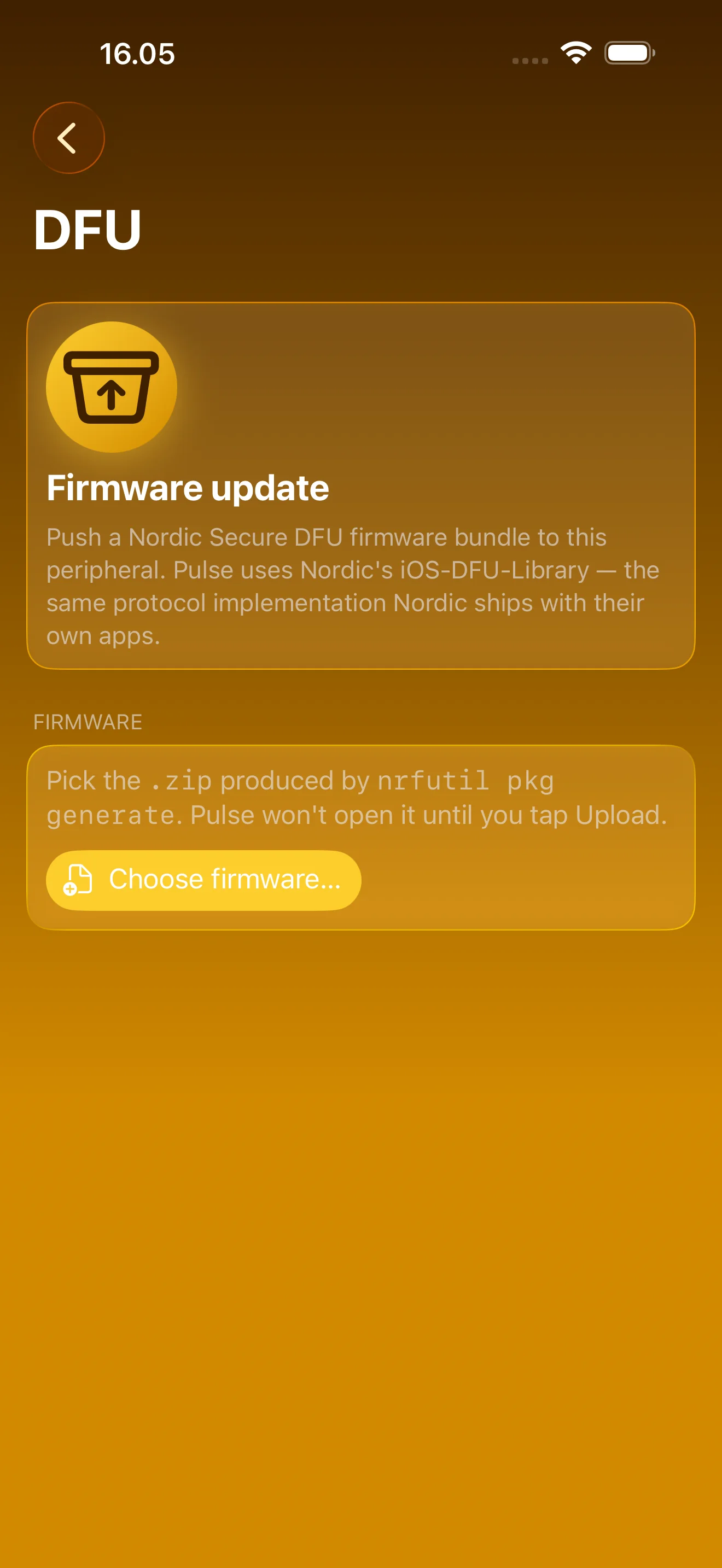
Flash Firmware Over the Air
Nordic Secure DFU — pick a package, watch it upload
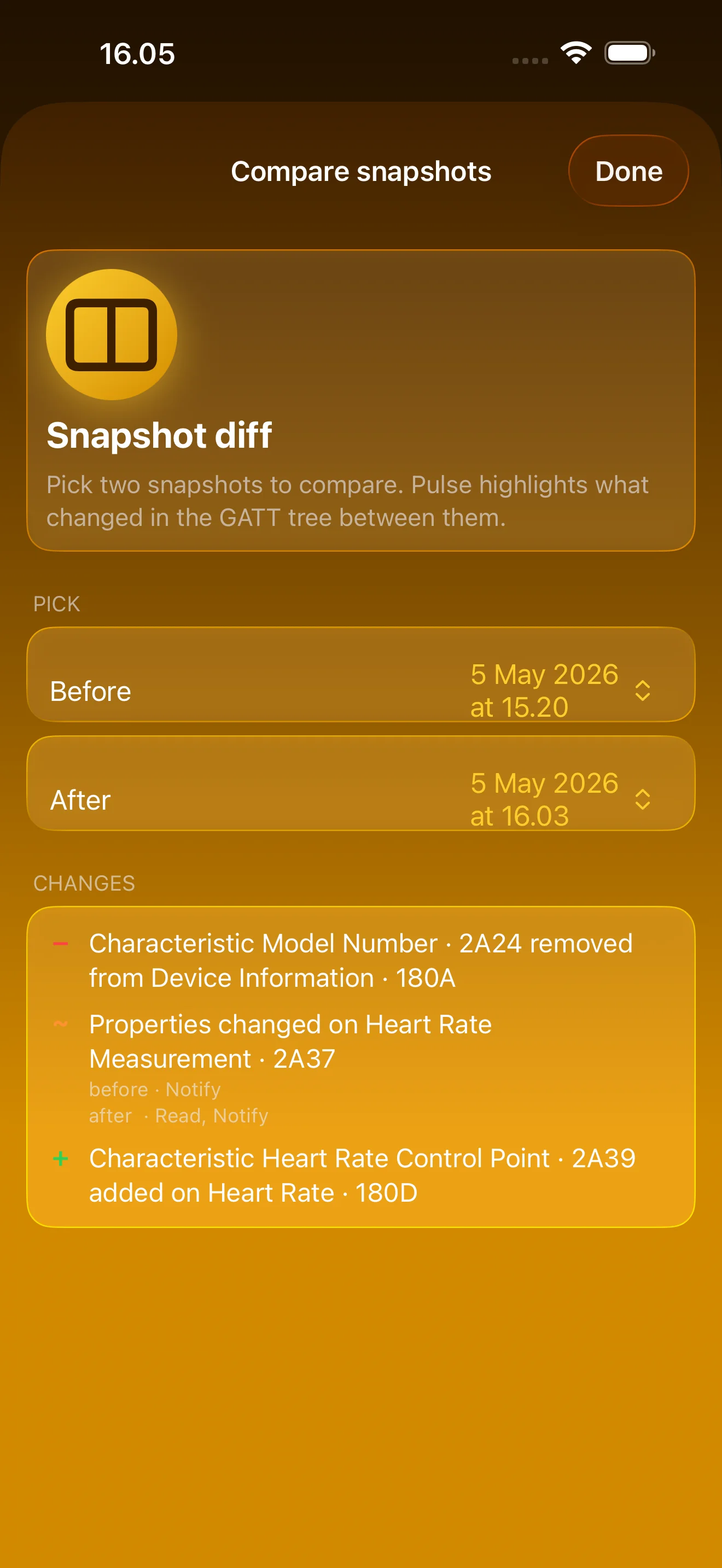
What Changed After the Update?
Two GATT snapshots compared: added, removed, changed
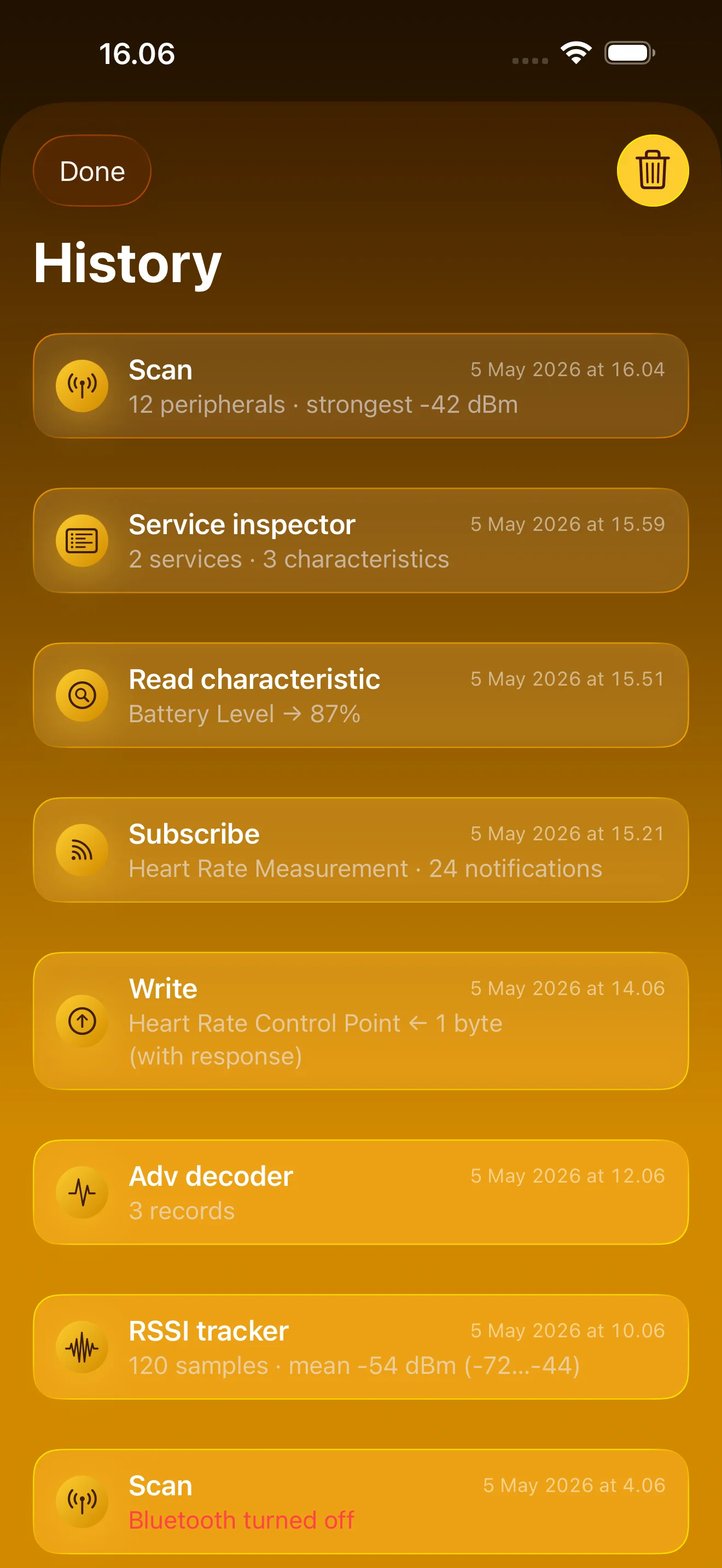
Every Run, Kept on Device
Recall any probe, export CSV or JSON. No accounts, no cloud
iPad
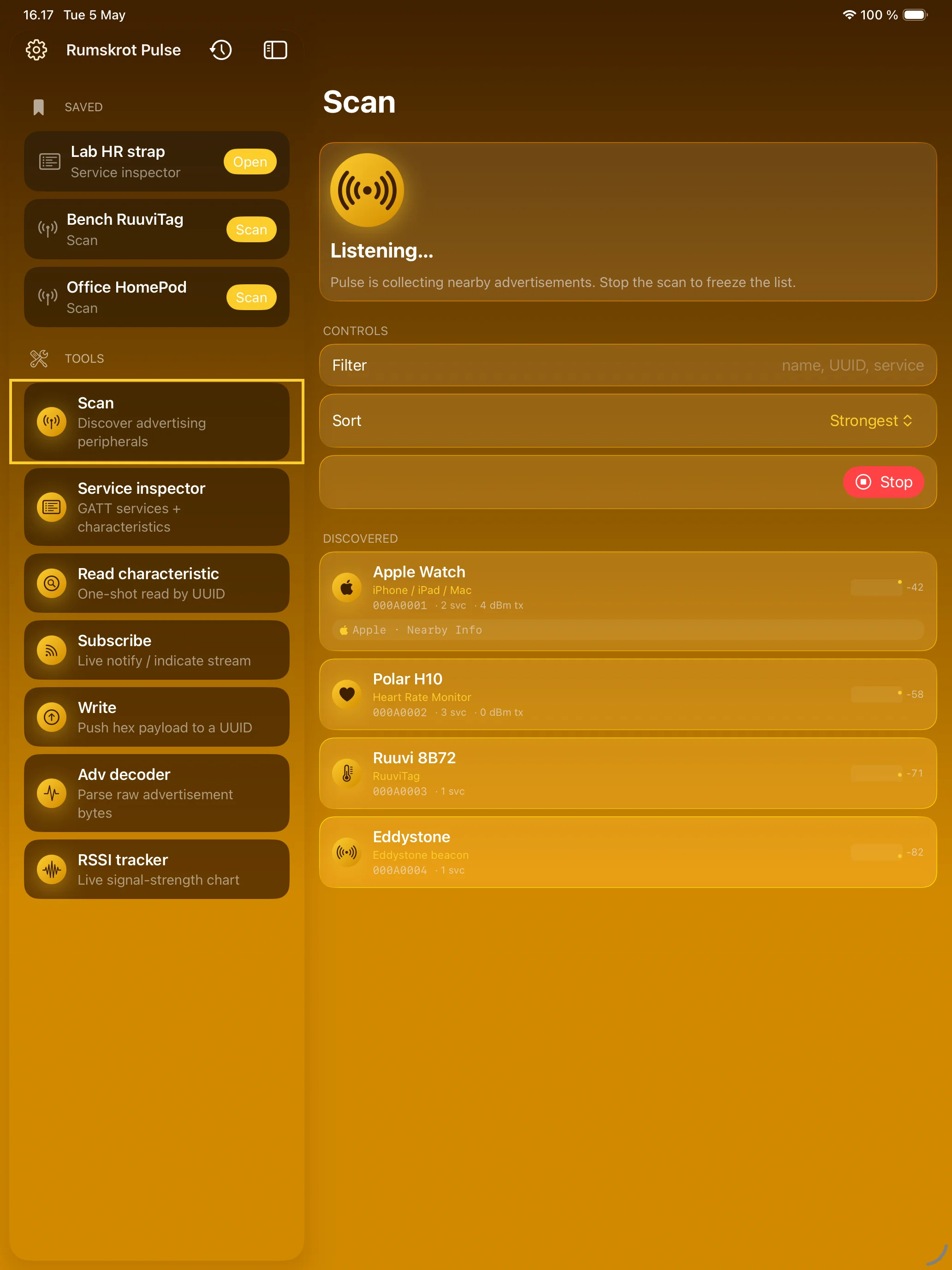
See What Every Device Is Saying
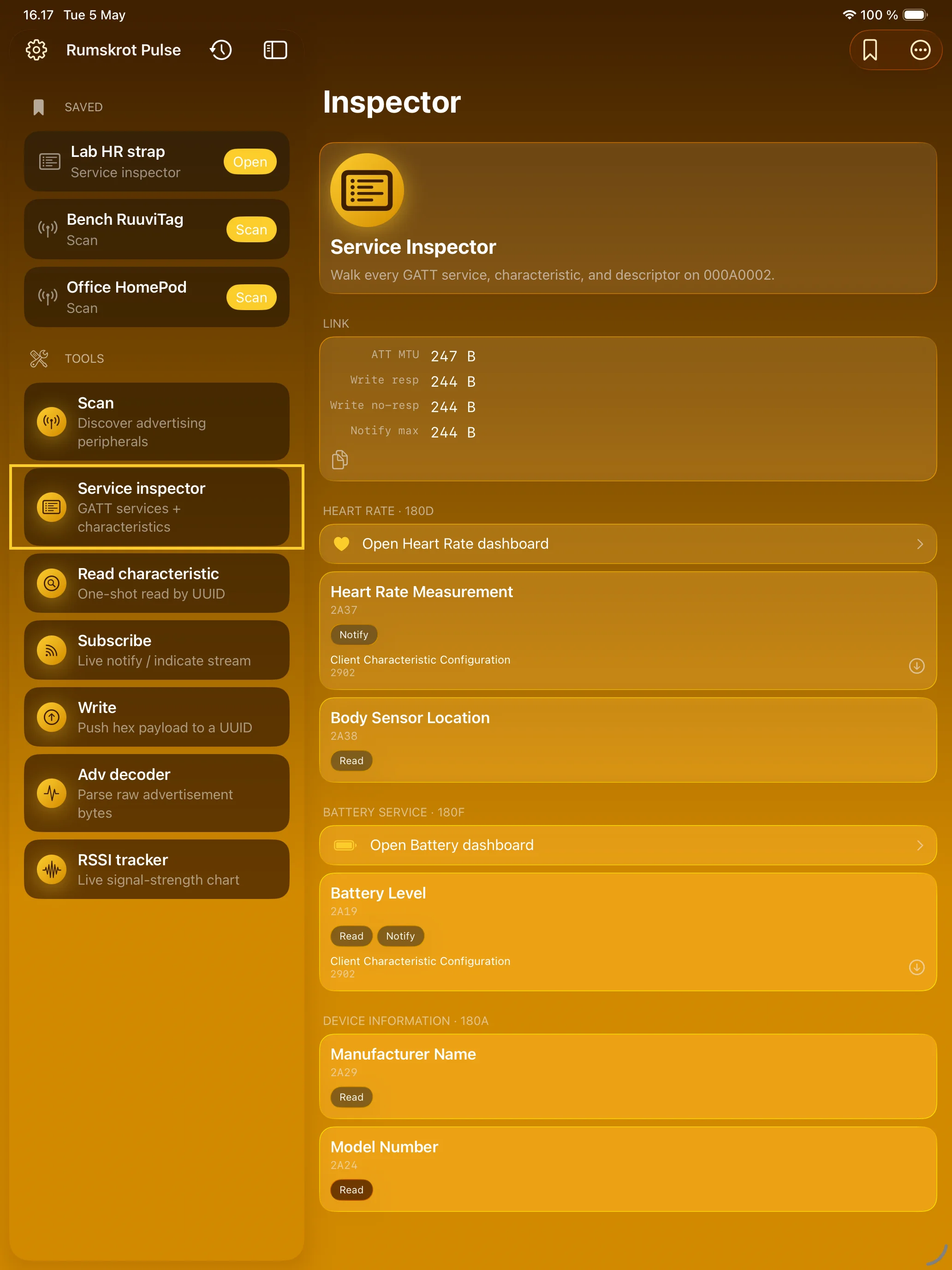
Walk the Whole GATT Tree
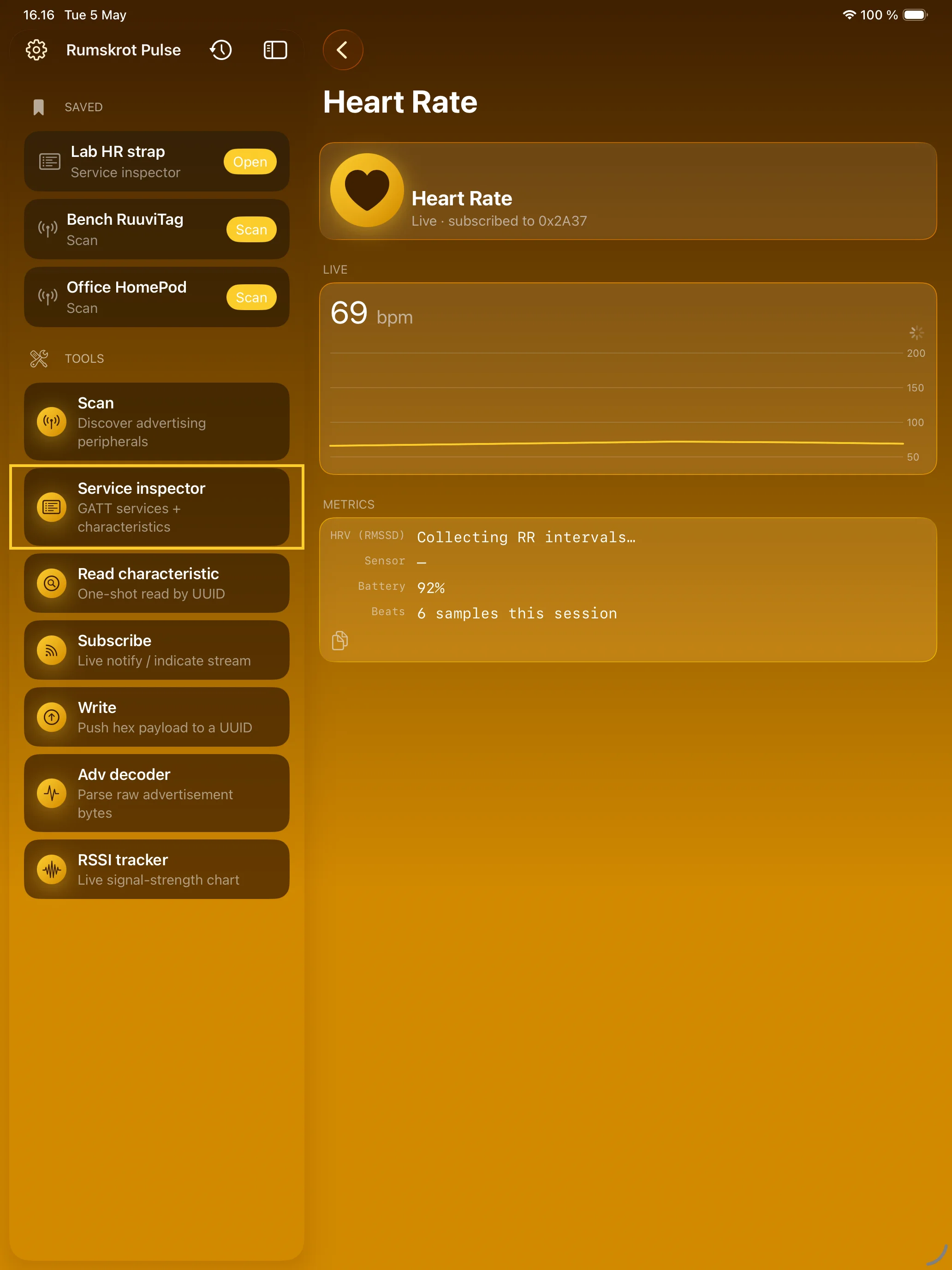
Sensor Data, Not Hex
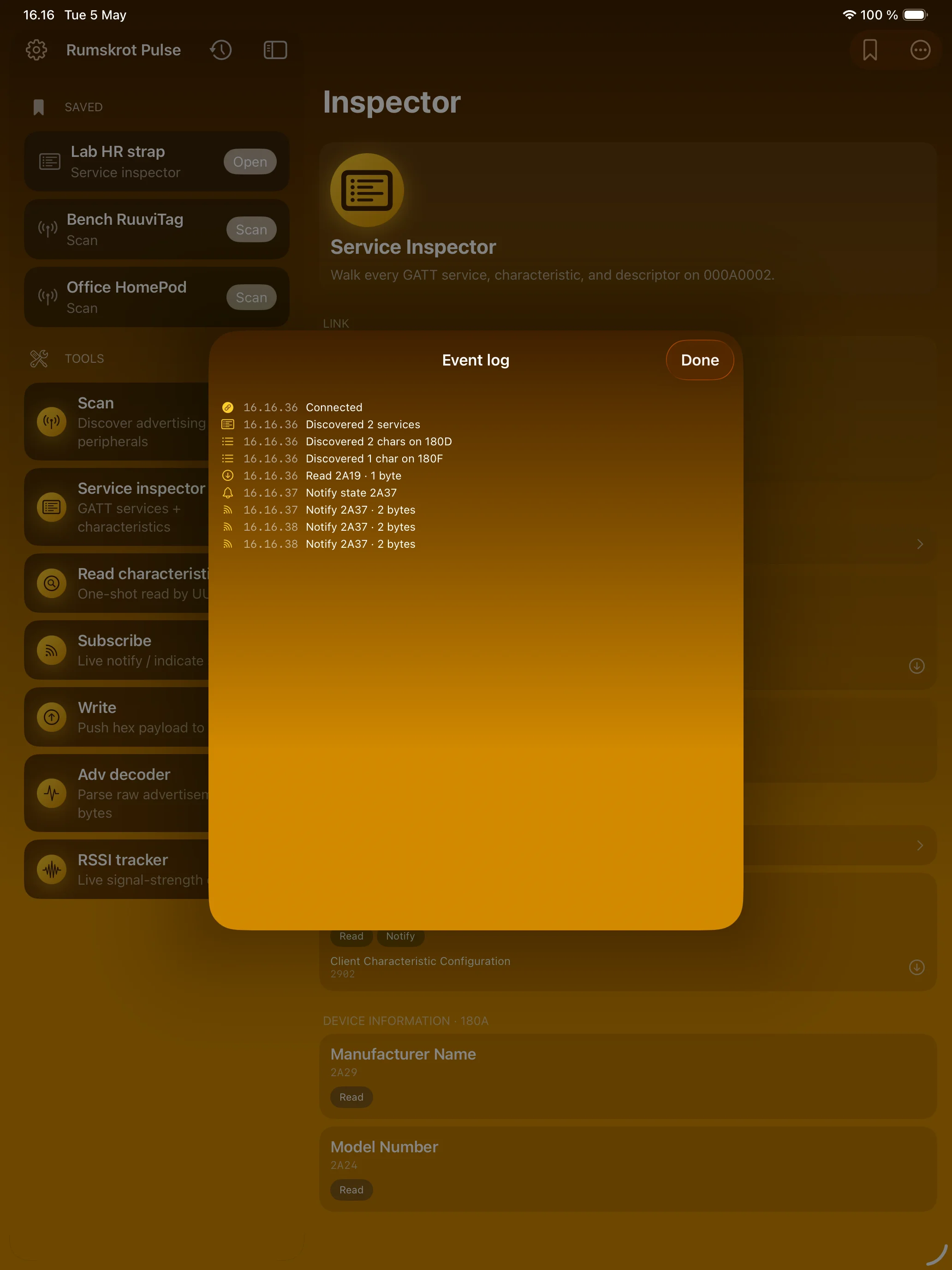
Every Callback, Timestamped
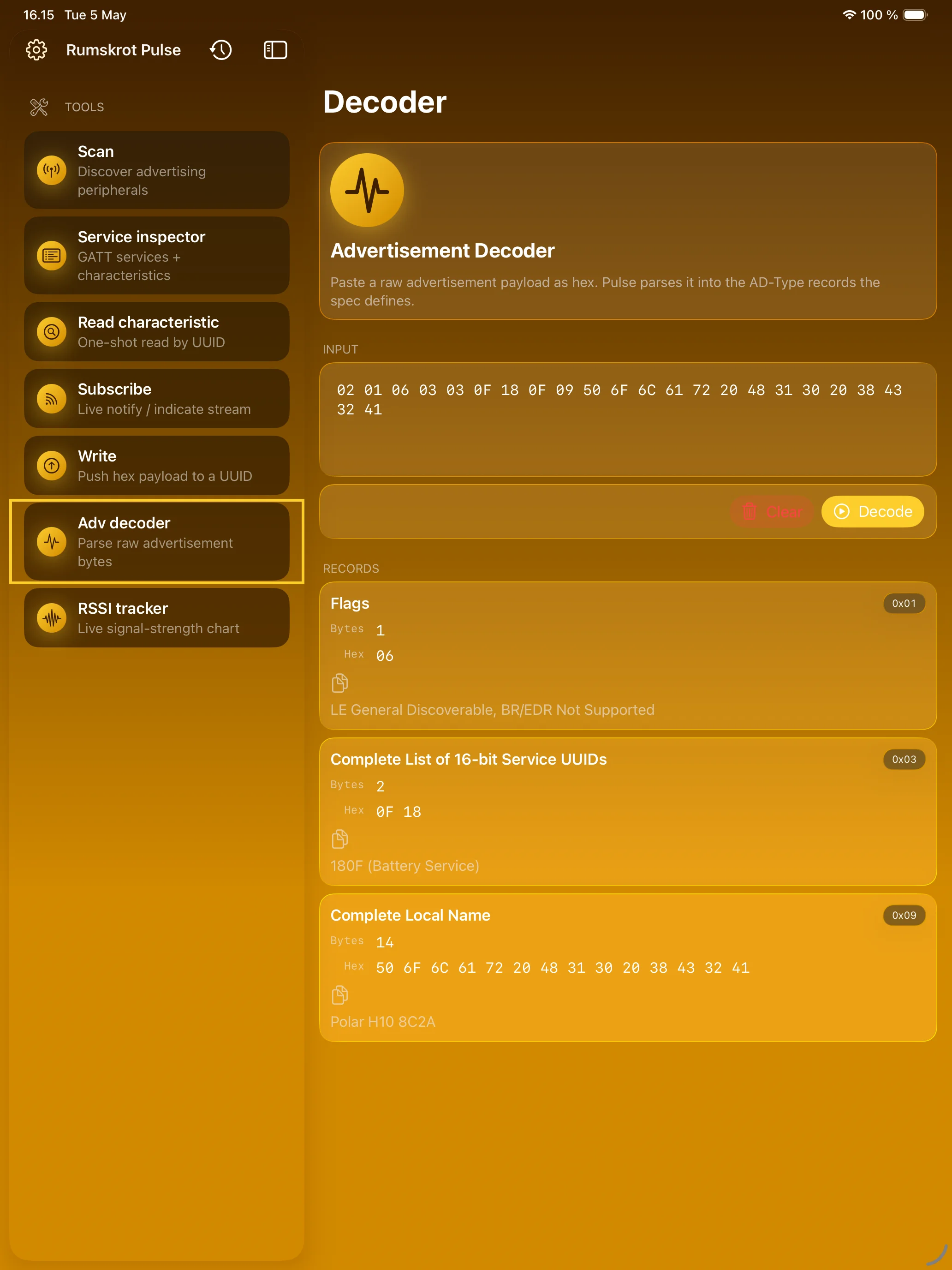
Paste Hex, Get Answers
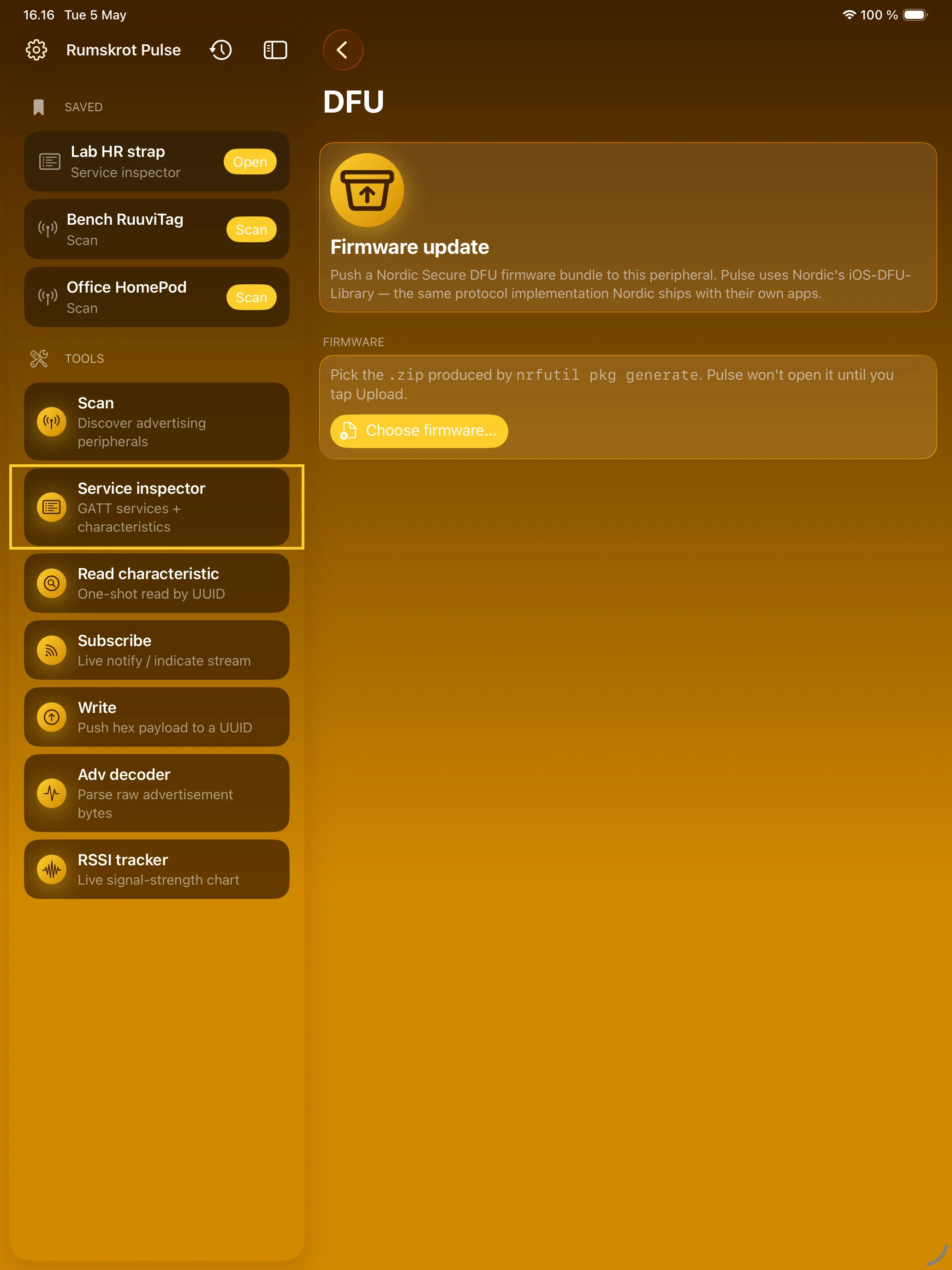
Flash Firmware Over the Air
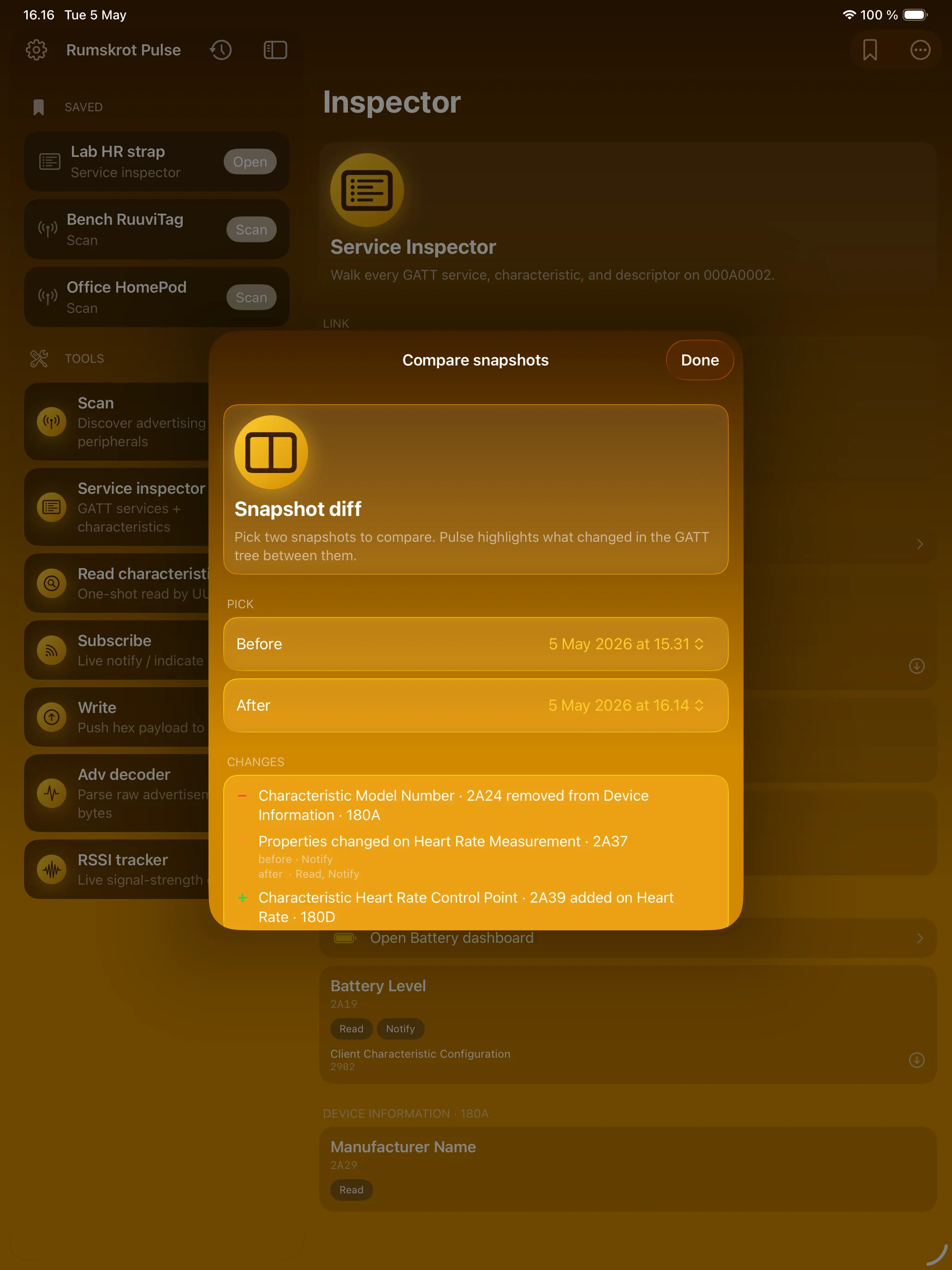
What Changed After the Update?
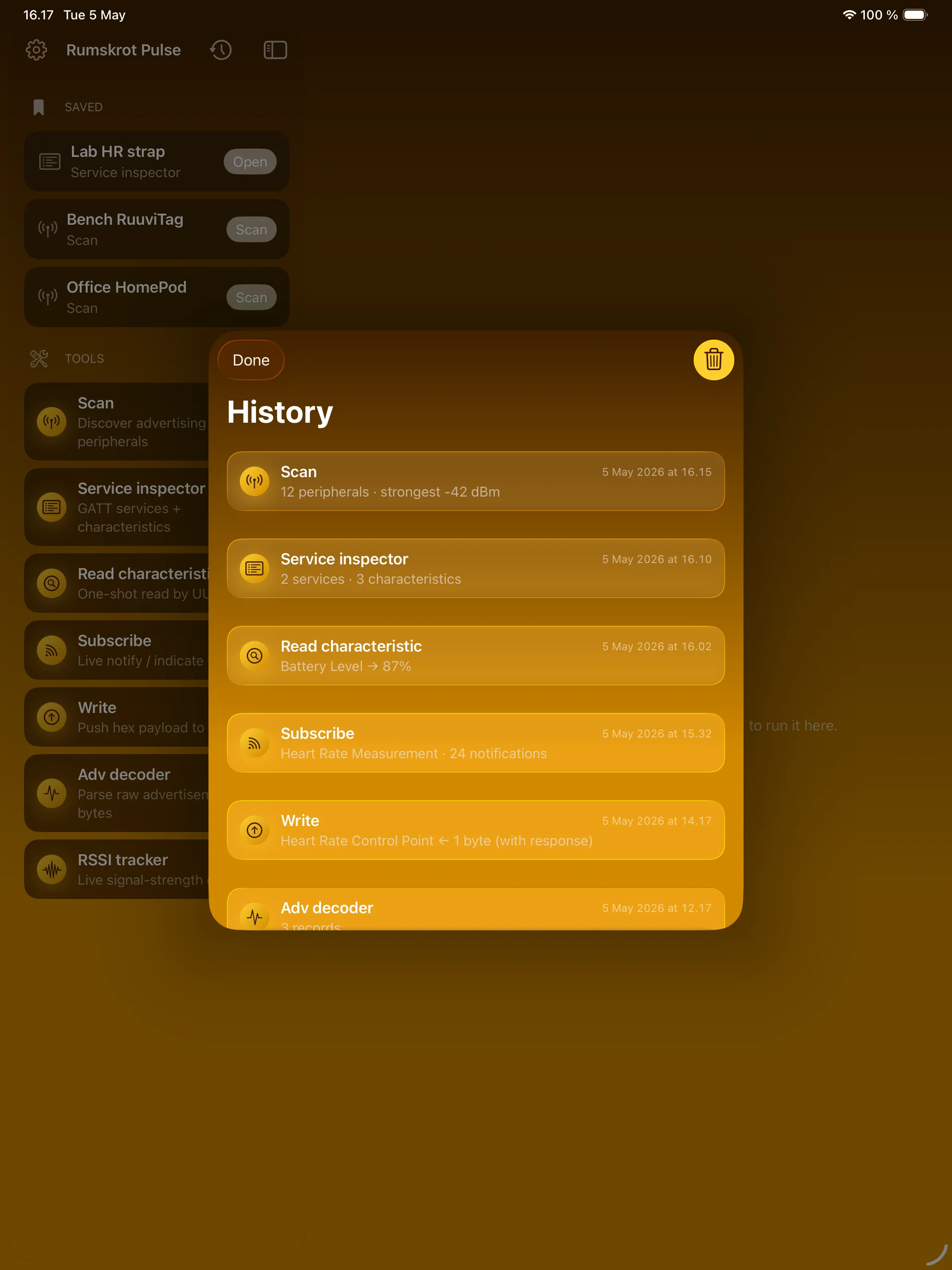
Every Run, Kept on Device
Apple Watch
Scan From Your Wrist
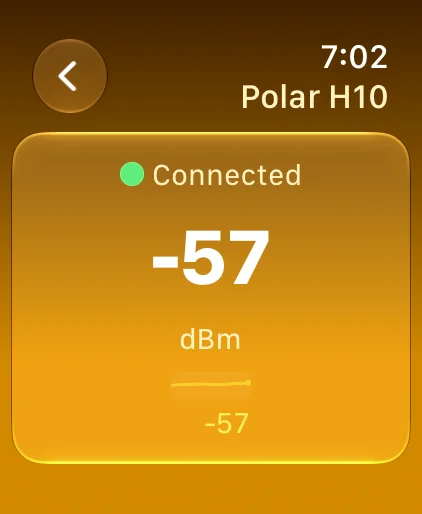
Am I Getting Warmer?
Features
Inline Beacon Decoding
Every Scan row decodes its advertisement live. iBeacon → UUID/Major/Minor; Eddystone → URL or UID; Apple Continuity → AirPods, Find My, Handoff, Nearby Info. No tap-in required.
Auto-Naming
When a peripheral advertises a useless name, Pulse fingerprints it: “AirPods / Beats”, “Heart Rate Monitor”, “RuuviTag”, “Tile tracker”, “Nordic DFU”, “Matter commissioner”.
Live RSSI Sparklines
Not just a number — a trend. Watch a peripheral approach as you walk toward it.
Distance Estimation
For iBeacon and Eddystone packets carrying calibrated TX power, Pulse computes “≈2.5 m” using the standard log-distance path-loss model.
Live Sensor Dashboards
Heart Rate (BPM + RR-interval HRV), Battery (drain rate, time-to-empty), Environmental Sensing (temperature / humidity / pressure).
Connection Event Log
Timestamped wire-level chatter for every CoreBluetooth callback. Pulse becomes a debugger, not a hex viewer.
GATT Cache + Diff
Every walk persists. Compare two snapshots after a firmware update; Pulse highlights what was added, removed, or changed with + / − / ~ markers.
Service Inspector
Read with structured rendering for SIG-defined formats. Subscribe with live notify / indicate timelines. Write with response or write-without-response. Negotiated MTU and write payload sizes surfaced in the header.
Advertisement Decoder
Paste raw hex blobs — Pulse parses iBeacon, Eddystone-URL/UID/TLM, and Apple Continuity TLVs.
Nordic Secure DFU
Firmware upload via Nordic’s official iOS-DFU-Library. Pick a firmware package and watch it upload.
L2CAP CoC Debugger
Raw byte-stream debugging over L2CAP connection-oriented channels — the modern transport BLE apps actually use.
App Intents Everywhere
Every tool is an App Intent — run Pulse from Shortcuts and the Action Button.
Apple Watch Companion
A standalone scanner on your wrist, using the watch’s own radio: nearby devices by signal strength, live RSSI trends, and approximate distance when the advertisement allows it.
Run History & Export
Every probe is recorded automatically. CSV export for Scan, JSON for everything else.
Privacy-First by Design
Everything runs on-device. No backend, no telemetry, no analytics. No accounts, no sign-up, no email. History lives in your local SwiftData store.
About
Rumskrot Pulse is built natively in Swift on top of CoreBluetooth and Swift Concurrency. The only third-party dependency is Nordic’s iOS-DFU-Library (and the ZIPFoundation library it pulls in) — neither does any networking. Everything else is Apple frameworks.
Pulse pairs naturally with the rest of the toolbelt: Rumskrot Beacon for network probes, Rumskrot Terminal for SSH, and Rumskrot Remote for VNC remote-desktop control.
Join the beta
Want a say in where Rumskrot Pulse goes next? Join the public beta on TestFlight and try new builds before they reach the App Store.
The beta runs in Apple’s TestFlight app. Install TestFlight, then tap Join — TestFlight installs the beta build of Rumskrot Pulse and offers each new build as it’s ready.
Purchases in TestFlight builds are test purchases: you’re never charged, and they don’t carry over to your account or to the App Store version. Purchases in the App Store version are real — please make sure which version you’re using; we can’t take responsibility for purchases made by mistake.
Spot a bug, a rough edge or a missing feature? Take a screenshot in the beta build and TestFlight offers to send it as feedback, or use Send Beta Feedback in the TestFlight app. Every report is read and helps decide what gets built and fixed next — there’s no support desk behind it, so reports aren’t answered one by one.
To leave the beta, open Rumskrot Pulse in the TestFlight app and tap Stop Testing.