
Rumskrot Archives
Open the archive, not the whole archive
Rumskrot Archives reads the folder tree straight from the archive’s own index, so you can browse a gigabyte download without extracting it. Photos open in a real viewer, documents and source render in place, and nothing is kept unless you say so.
View release notes →
- Every format, even nested. ZIP with AES, RAR5 and multi-volume sets, 7-Zip, .tar.gz/.bz2/.xz, comic-book containers; archives inside archives expand in the same list.
- Read it right there. PDF, Markdown, SVG, audio, video, and syntax-highlighted code in 30+ languages.
- Private by construction. Passwords forgotten on close unless you opt in; scratch storage is encrypted, excluded from backup and released.
Use it when… Mail hands you a 7-Zip and you only want the one PDF inside it.
iPhone
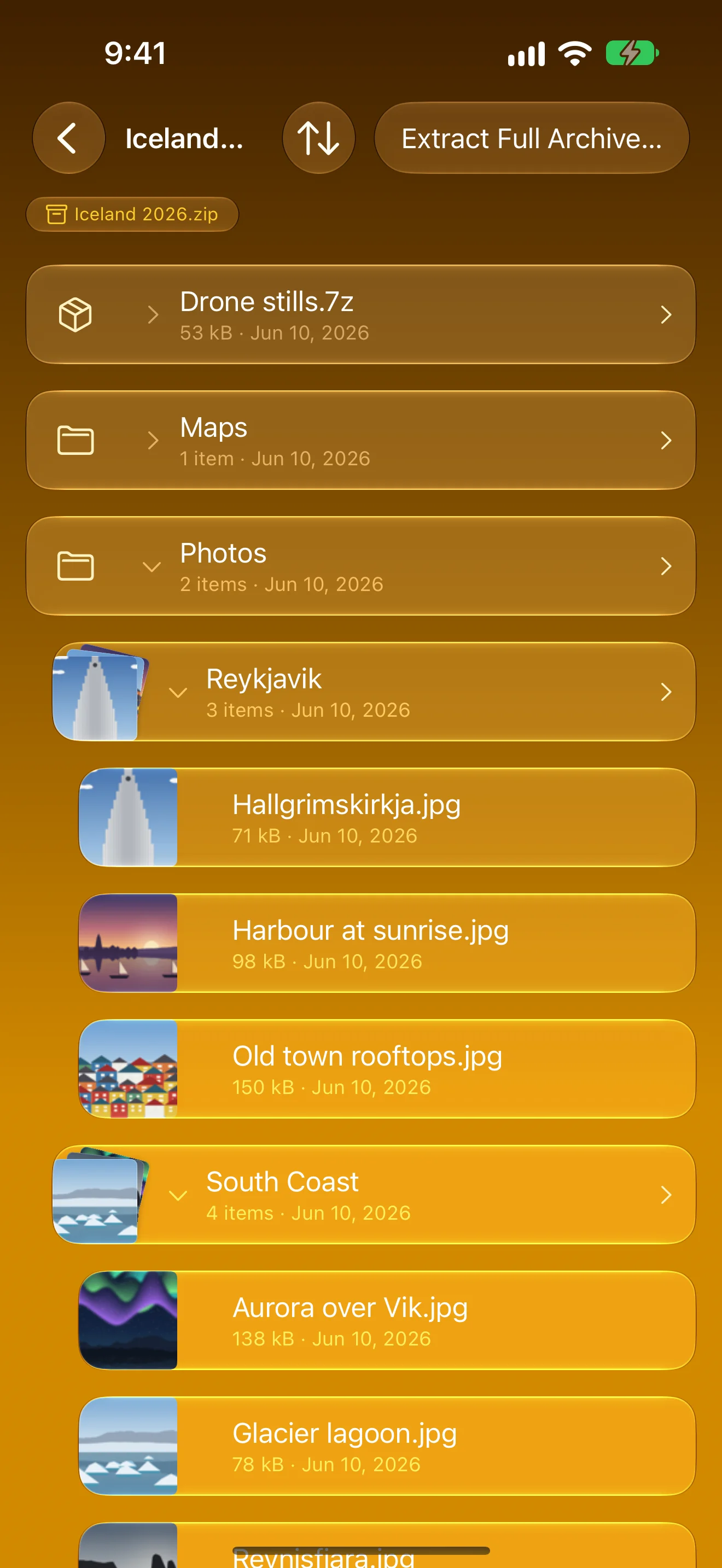
Look Inside First
Folders, files and thumbnails straight from the archive’s index
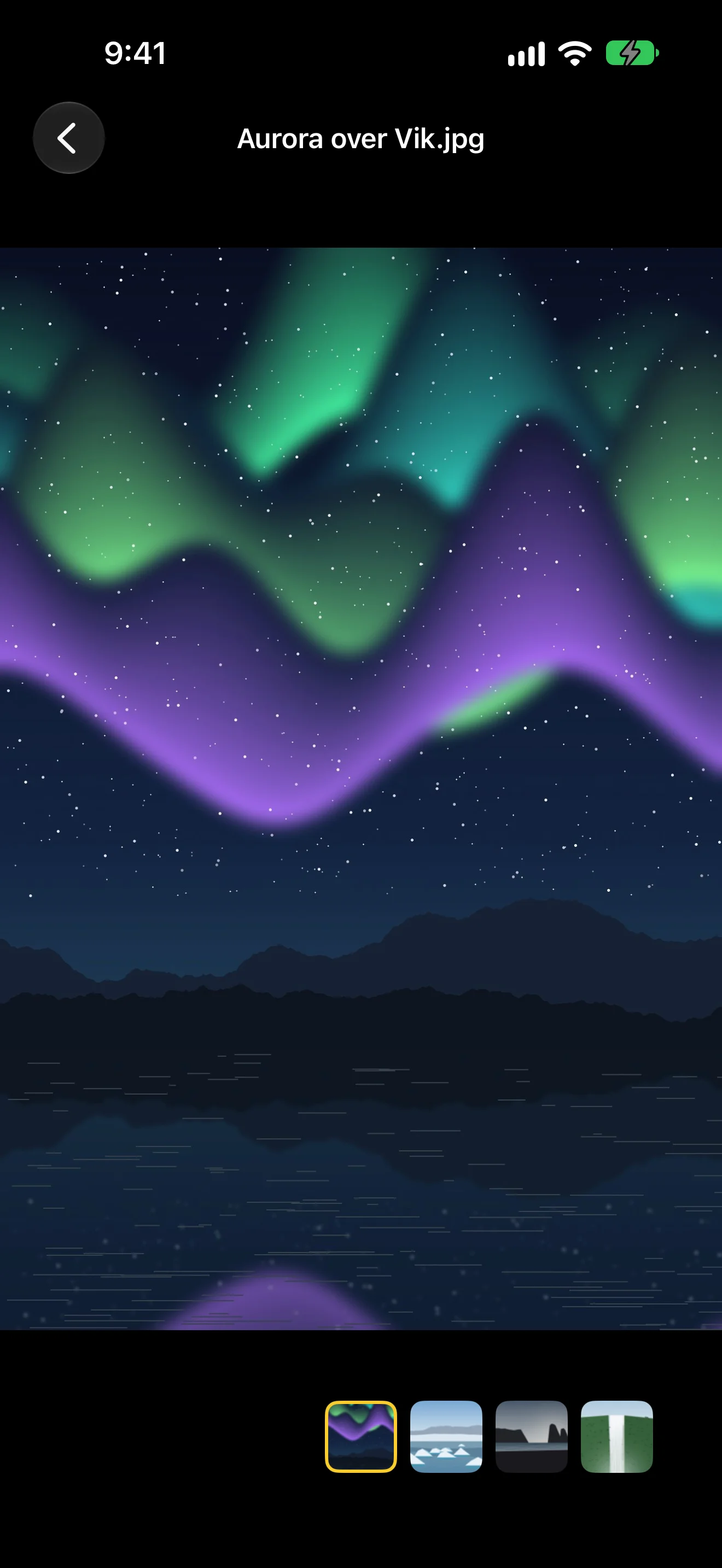
A Real Photo Viewer
Swipe, zoom and scrub the filmstrip — no hand-off to another app
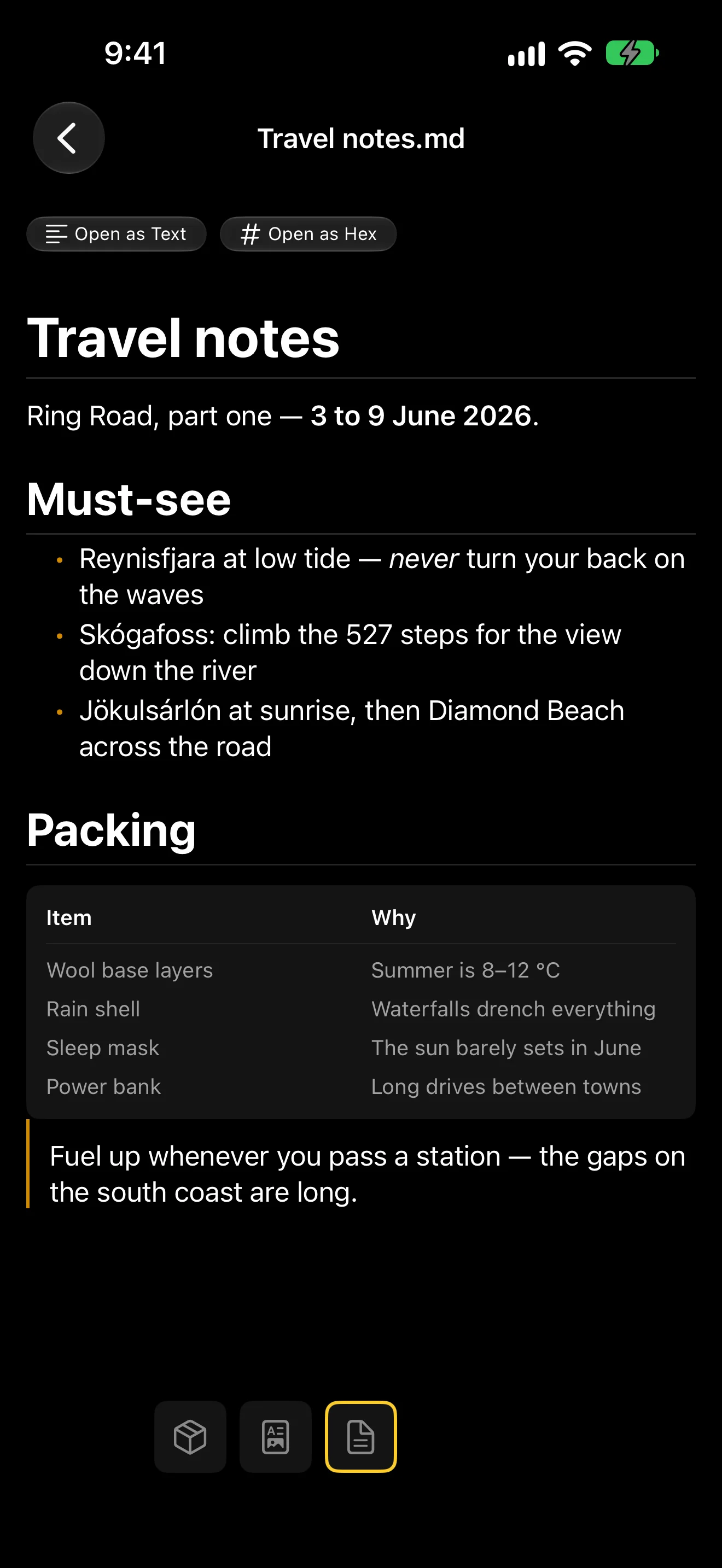
Read It Right There
PDF, Markdown, SVG and text open in place, nothing extracted
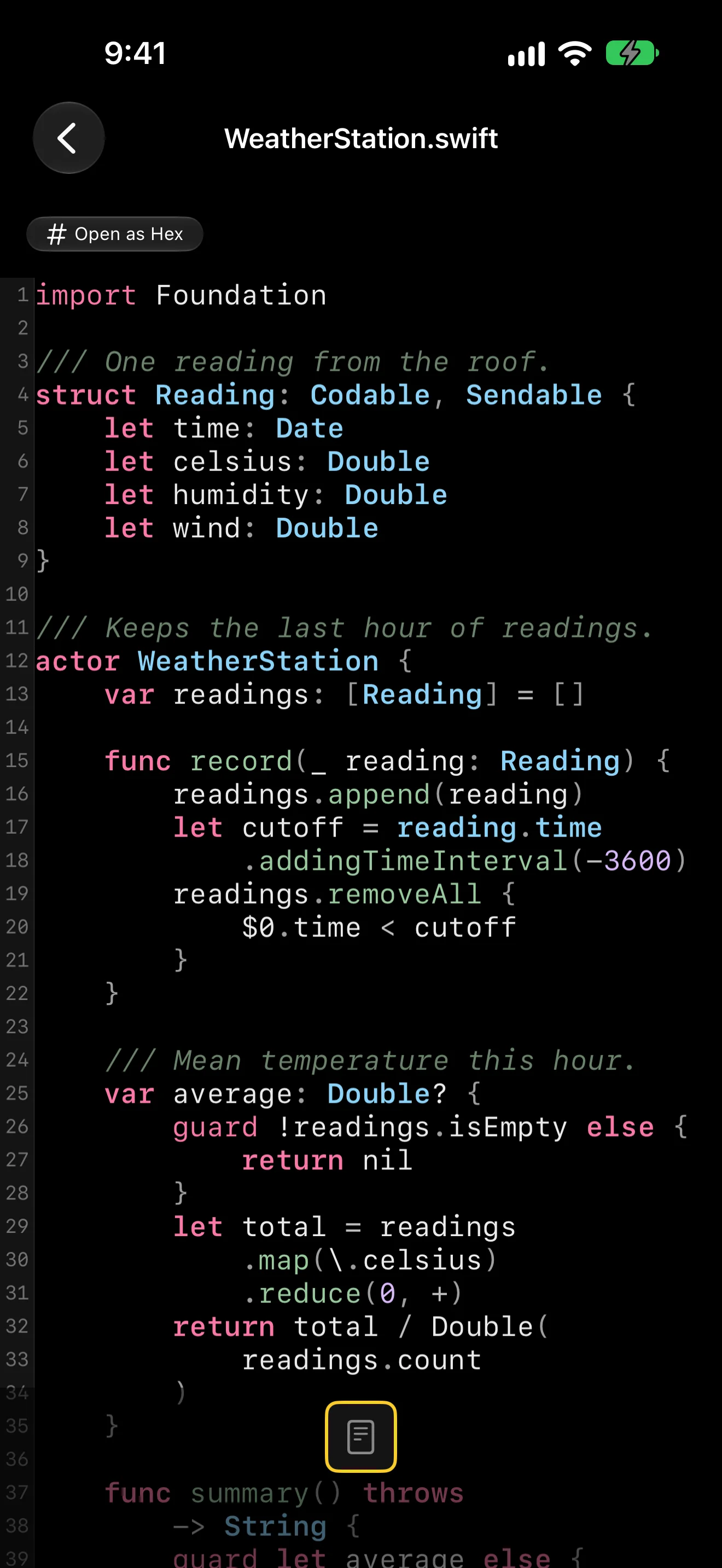
Code, Highlighted
Browse a project tarball with syntax highlighting in 30+ languages
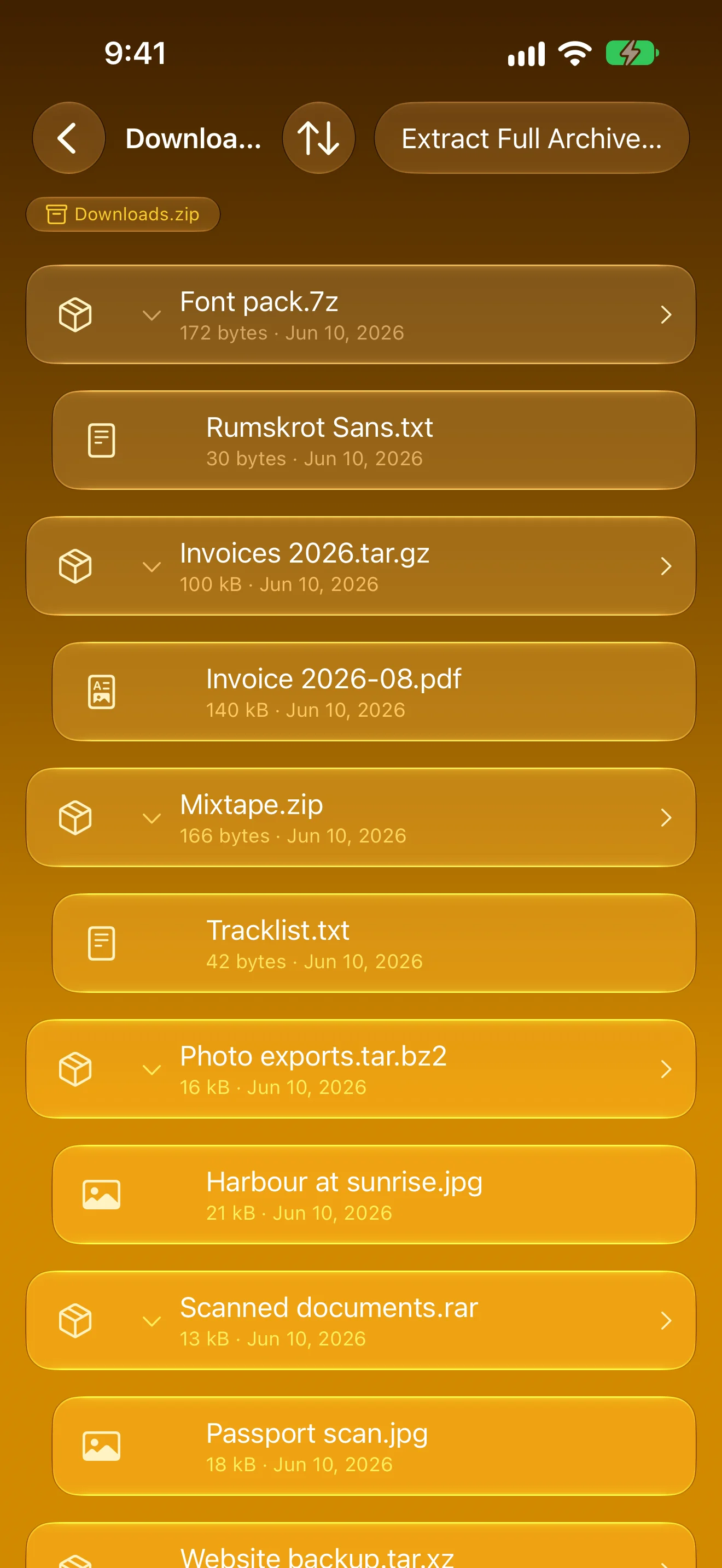
Every Format, Even Nested
ZIP, RAR, 7-Zip and TAR — archives inside archives in one list
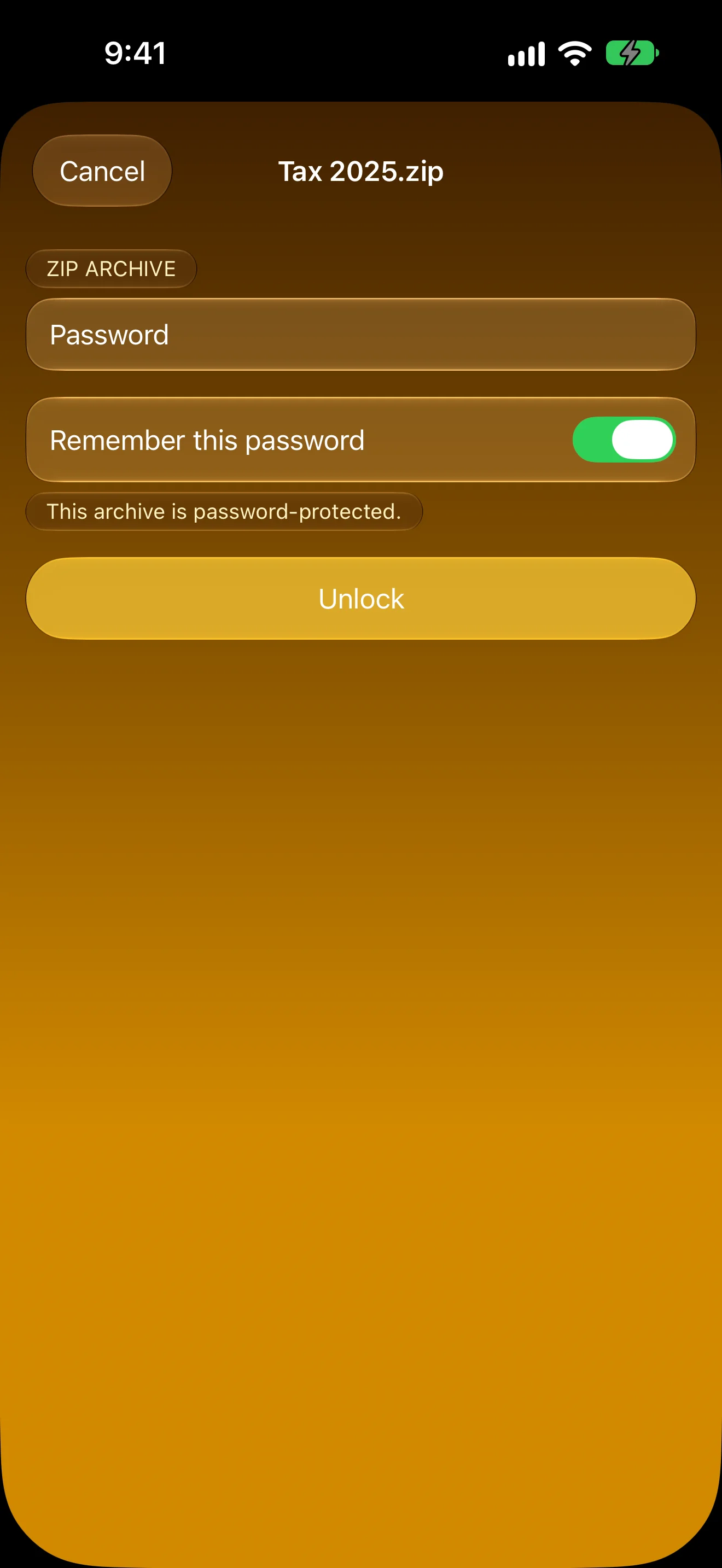
Passwords on Your Terms
Asked for once, remembered only if you say so
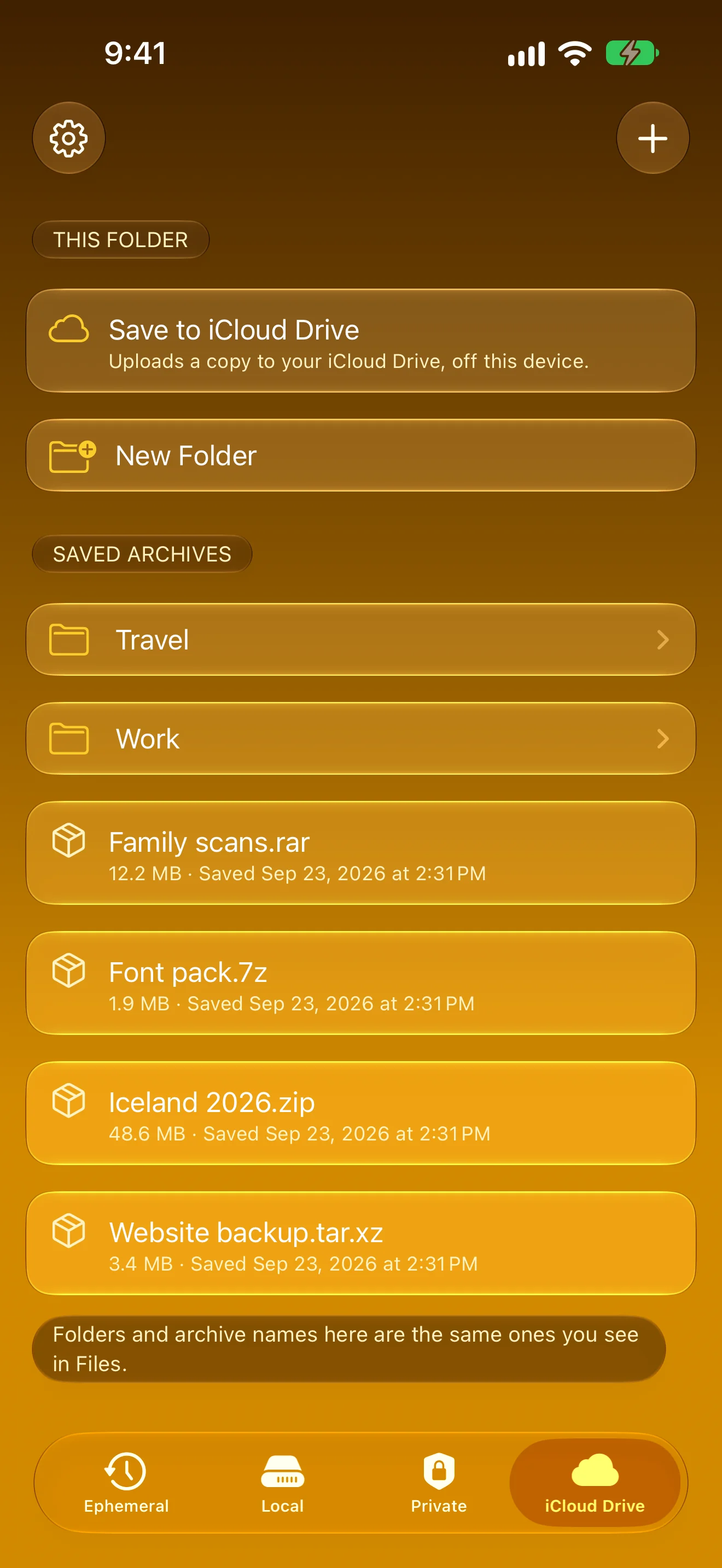
Keep Only What You Choose
Nothing saved by default — keep copies in Local, Private or iCloud Drive
iPad
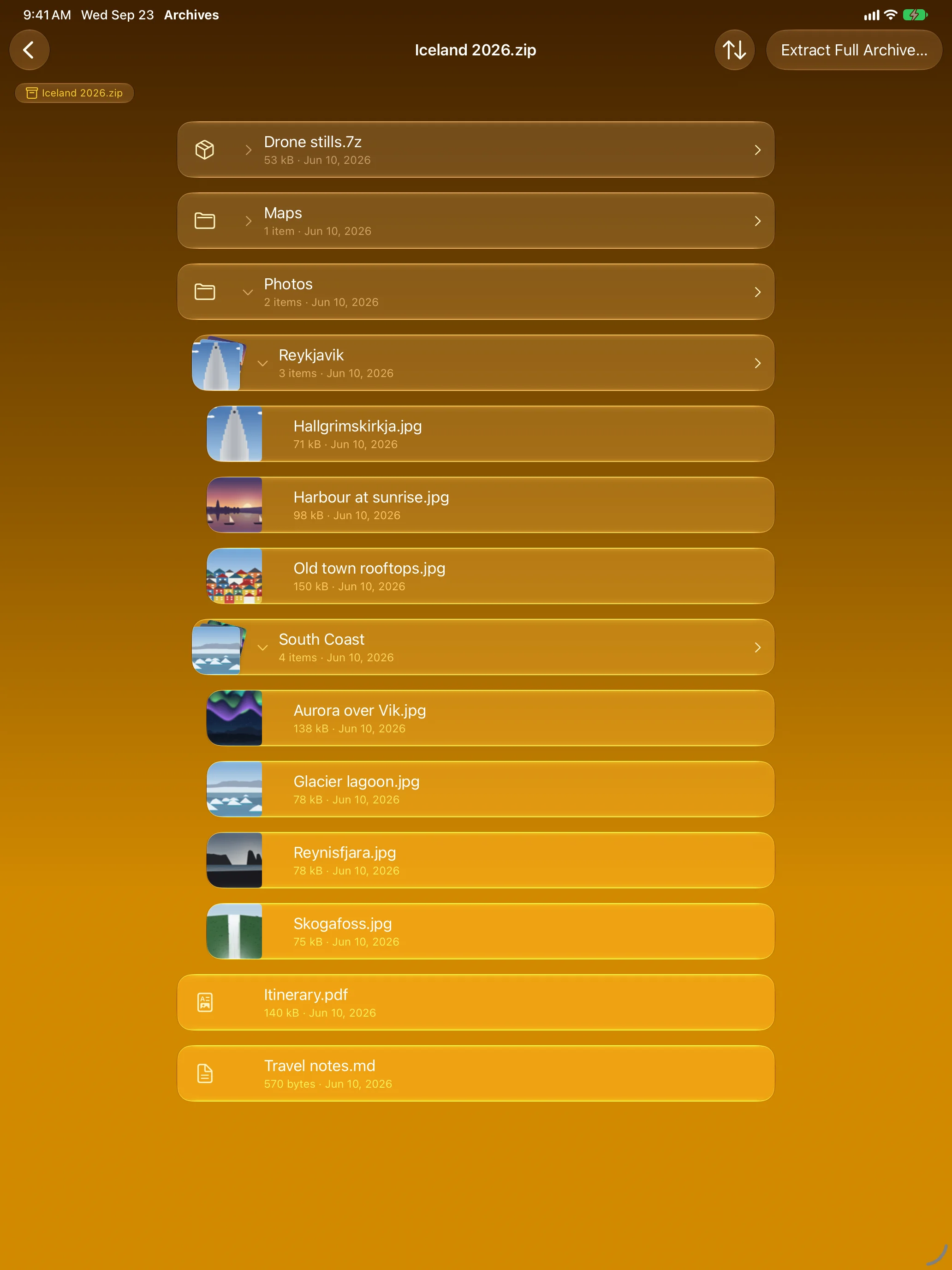
Look Inside First
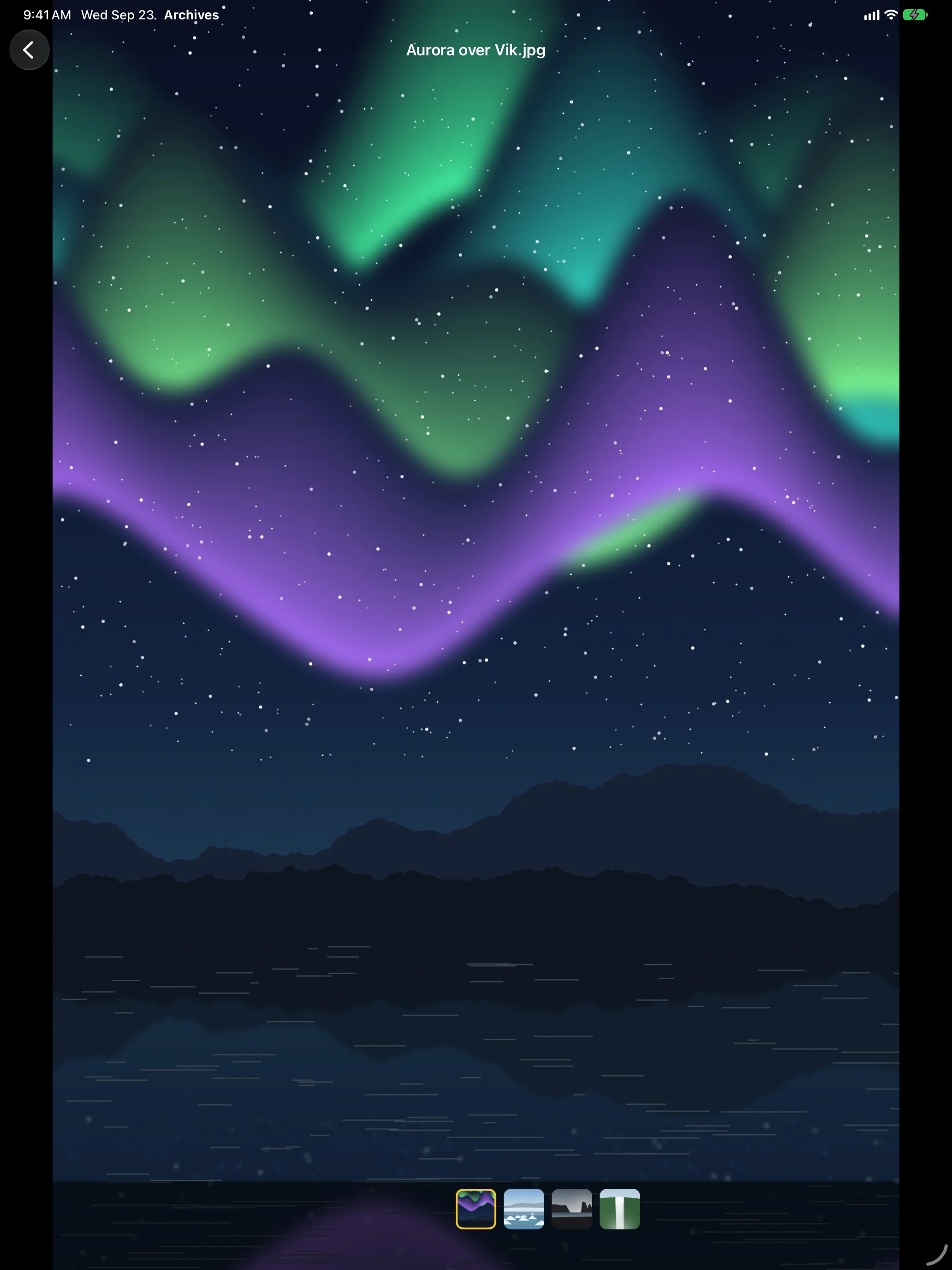
A Real Photo Viewer
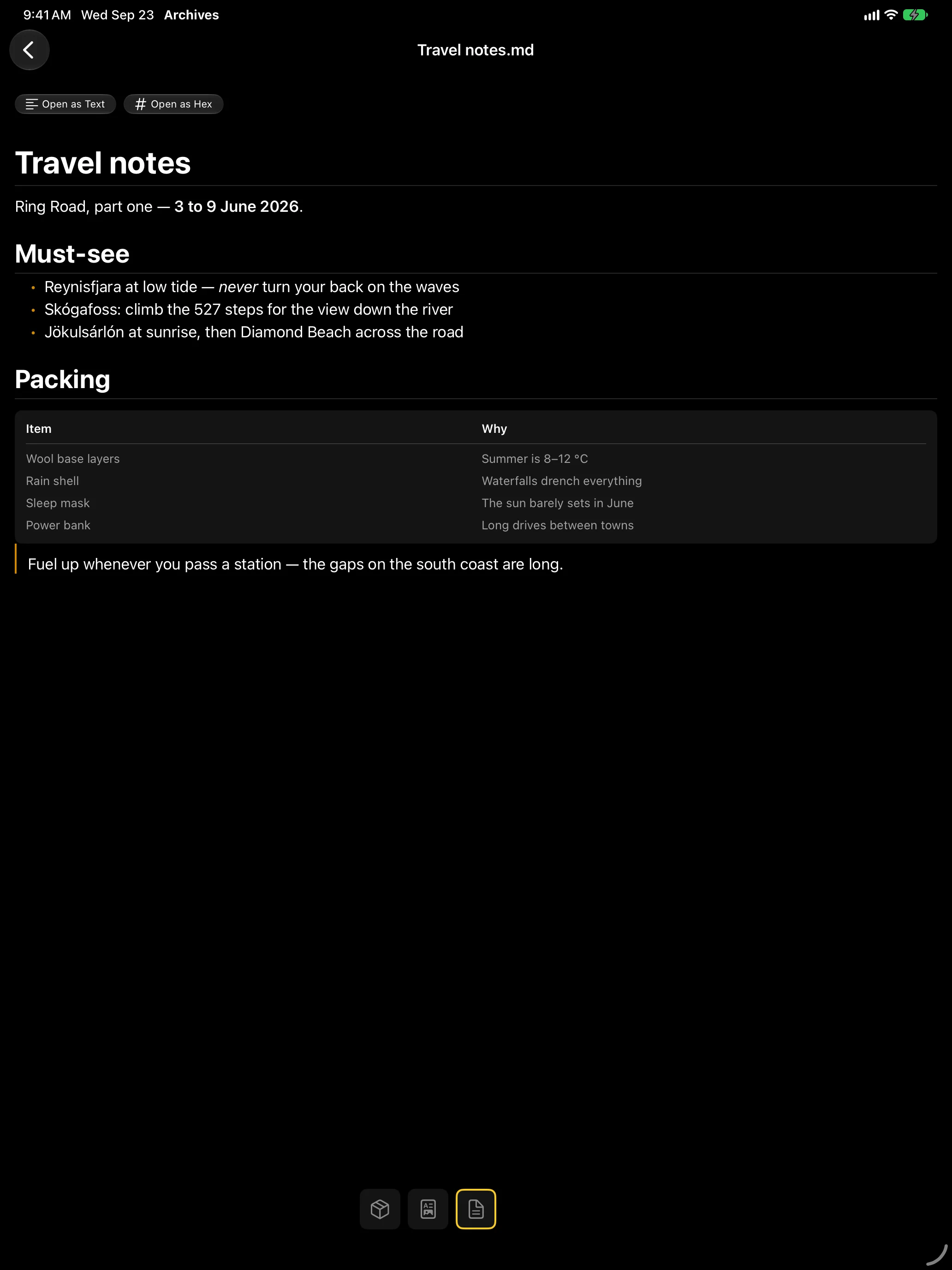
Read It Right There
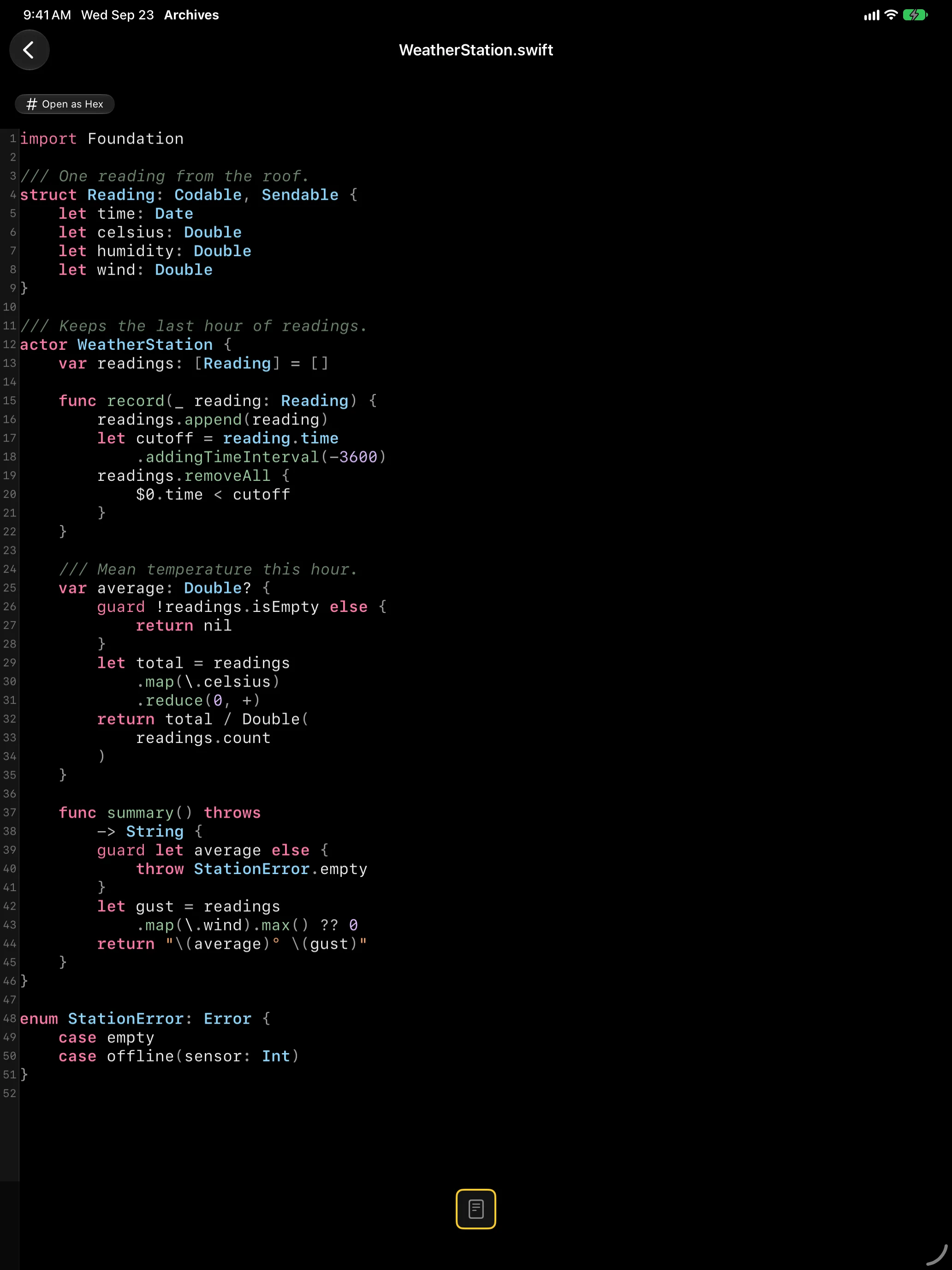
Code, Highlighted
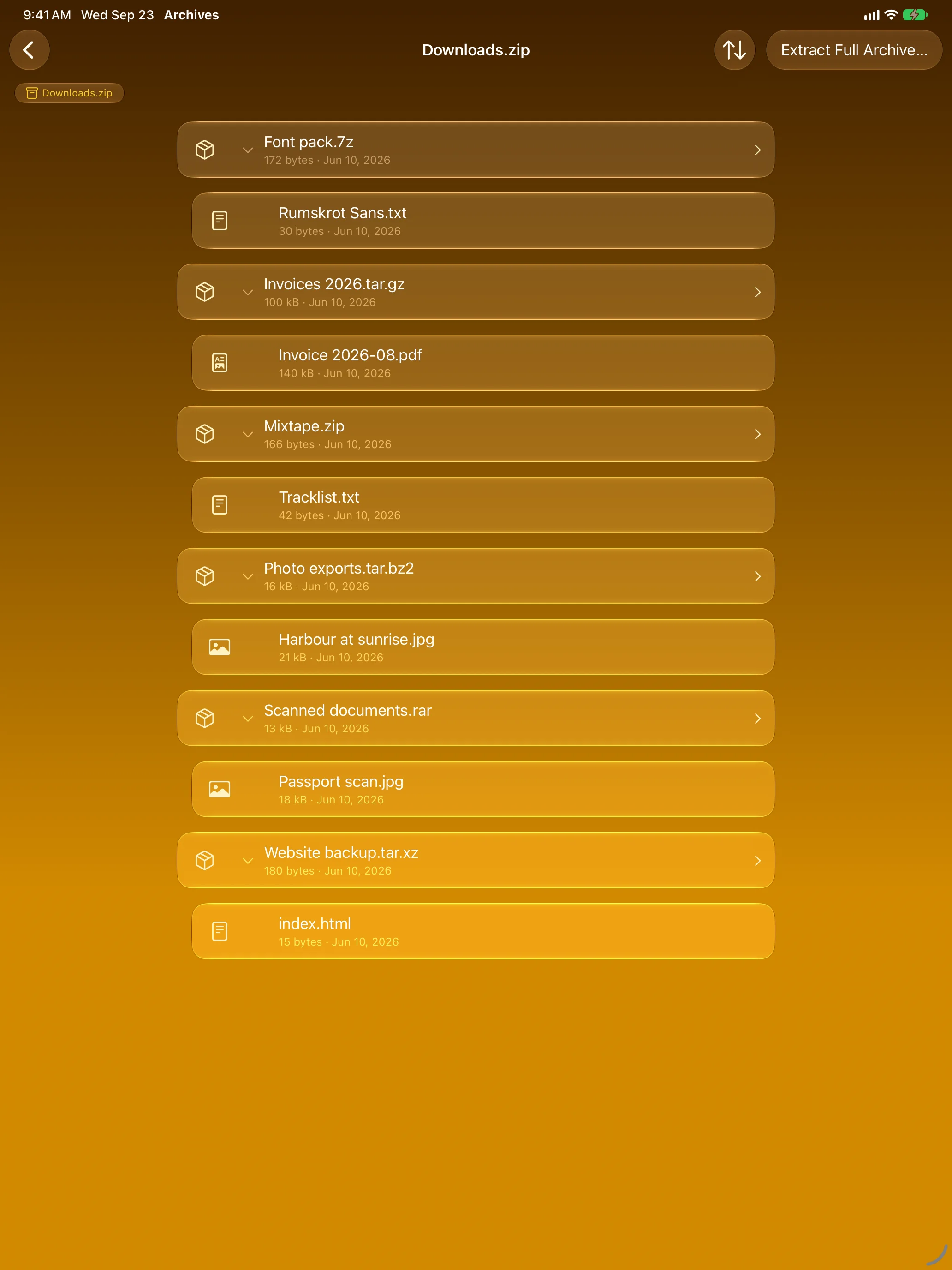
Every Format, Even Nested
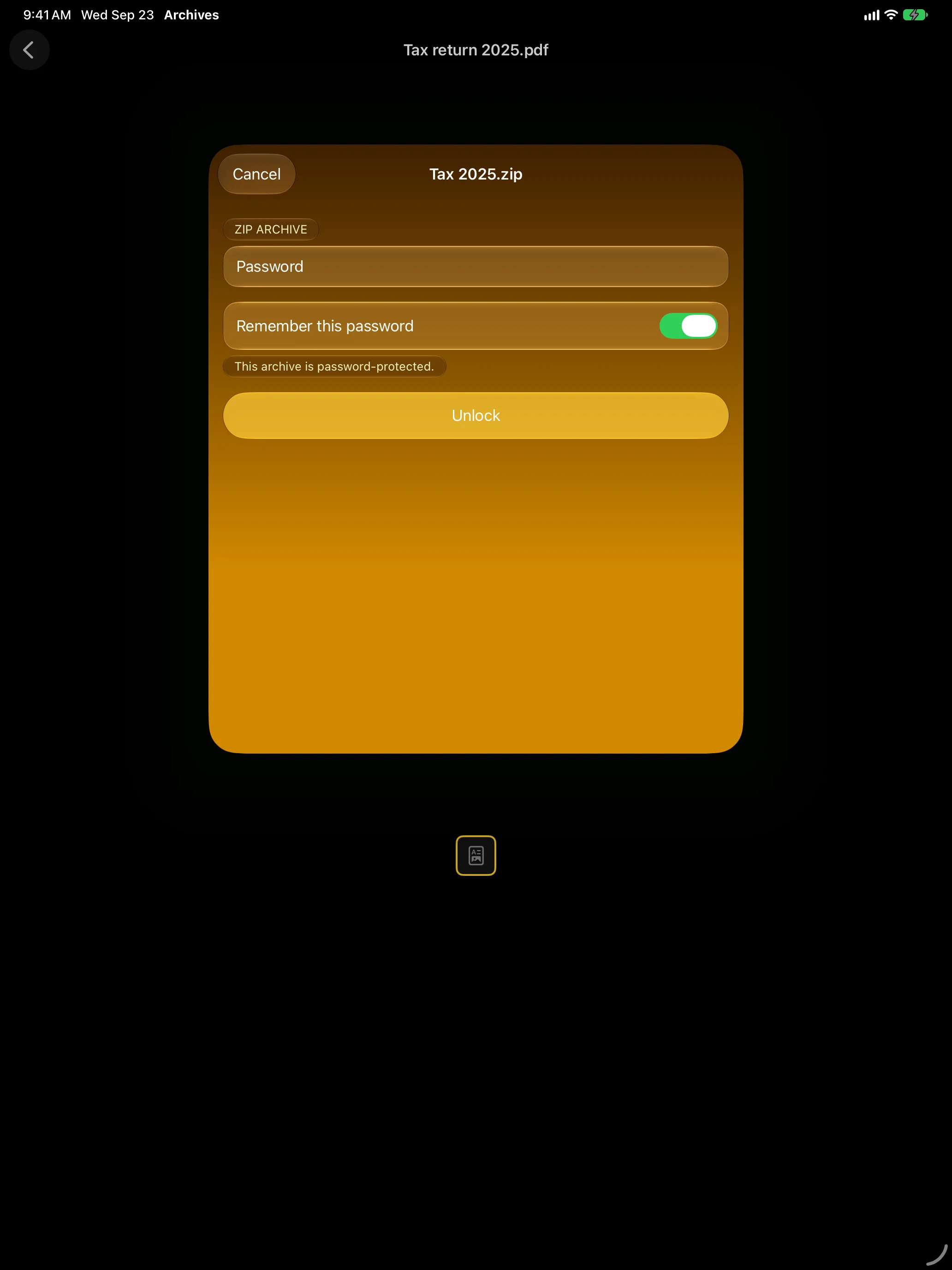
Passwords on Your Terms
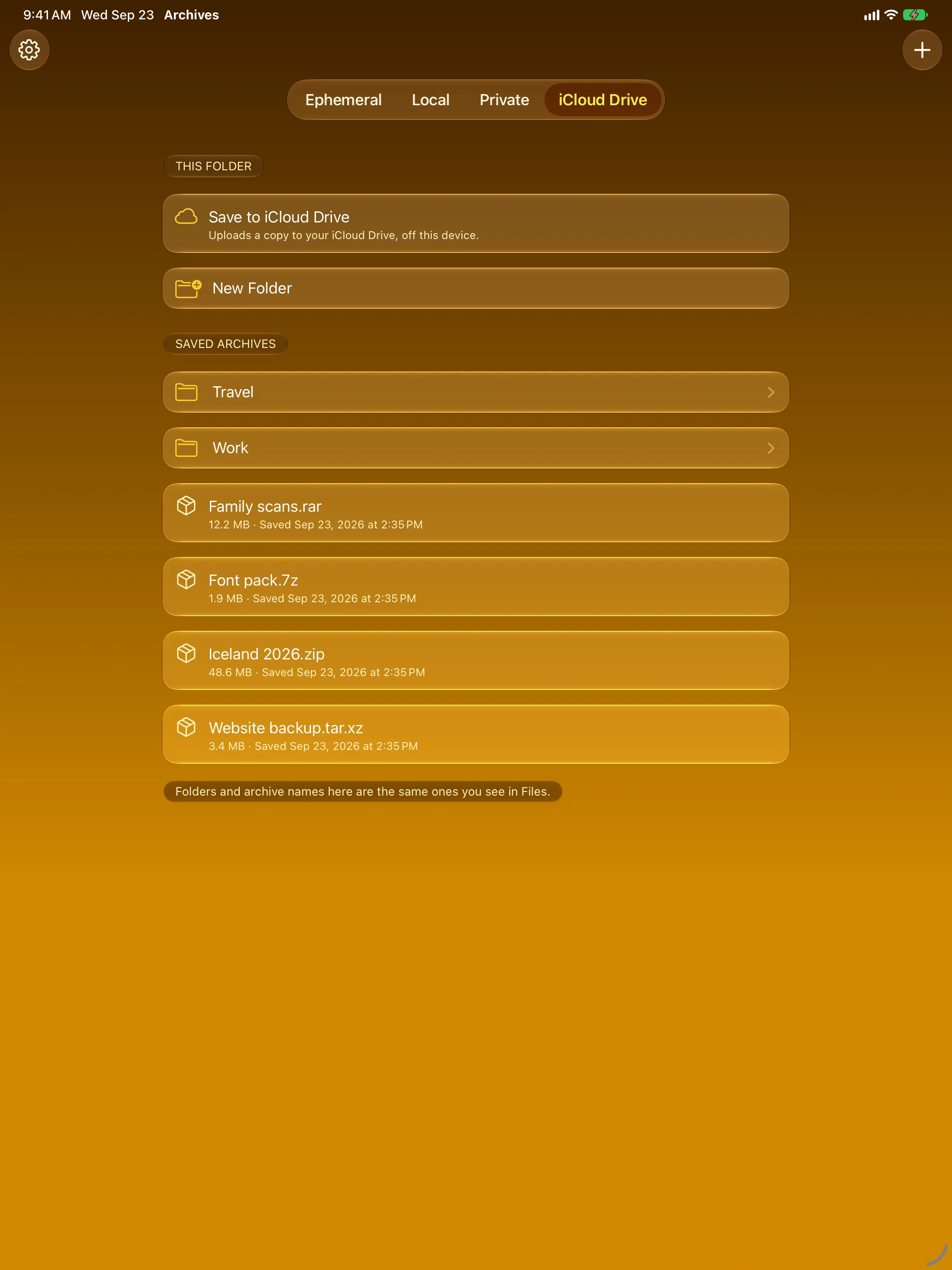
Keep Only What You Choose
Features
Browse First, Extract Later
The folder tree is built from the archive’s own index and header metadata. Opening an archive doesn’t decompress it, and expanding a folder costs nothing — the structure is already in memory.
Six Formats
ZIP, RAR, 7-Zip, plain TAR, and the compressed TAR variants — .tar.gz / .tgz, .tar.bz2, .tar.xz.
Multi-Volume RAR
Split sets open as one archive: .part1.rar….partN.rar and the older .rar / .r00 / .r01 naming, including RAR5 archives whose headers are themselves encrypted.
Encrypted Archives
ZipCrypto and WinZip AES for ZIP, RAR’s own encryption, and 7-Zip AES-256 — including 7-Zip archives created with encrypted headers (-mhe=on), where even the file list is protected.
The Image Viewer
Every image in the archive, in archive order, swipeable end to end. Pinch to zoom, drag to pan, double-tap to jump in and back out, and a filmstrip along the bottom to move through a long set.
Smooth by Design
Neighbouring pages decode ahead of you inside a bounded memory budget, so paging stays fluid on a large set without the app ballooning.
Only Remembered If You Ask
A password is never kept unless you tick the box. If you do, it goes into the system Keychain on that device only — keyed to the archive’s contents rather than its name, never synced to iCloud, never written into a file. Leave the box alone and the app forgets it the moment you close the archive.
Previews That Stay In-App
PDF, Markdown, SVG, plain text and source code render in place, with syntax highlighting across more than 30 languages. Supported audio and video play without leaving the archive.
Archives Inside Archives
A ZIP inside a TAR inside a RAR expands in the same list, each level through its own reader — no unpacking the outer archive to get at the inner one.
Keep Only What You Choose
Opening is ephemeral by default. When you do want a copy, save it deliberately to Local storage, a Private scope that asks for Face ID before listing anything, or a Files-visible iCloud Drive folder — and uploading always asks first.
Export When You Mean To
Send a single entry, or the whole archive, to Files — always as an explicit action, never a side effect of browsing. Live progress, cancellation, and sane handling when a name already exists at the destination.
Nothing Left Lying Around
Decompressed bytes stay in memory when they fit. An entry too large for that goes to a scratch file that is protected at rest, excluded from backups, tracked in a ledger, and deleted when the operation ends.
Swept at Launch
If the app is force-quit or crashes mid-extraction, the leftovers are swept before it becomes usable again — the sweep runs ahead of the first screen, not lazily afterwards.
Built Into the System
Open In from Files without copying the archive into the app’s own sandbox first, and Share Sheet import from Mail, Messages, Safari, and anywhere else that hands off a file.
App Intents Everywhere
Open, export entry, and export all are AppIntents — so they work from Shortcuts and Siri, not just from the app’s own buttons.
Private by Construction
No backend, no telemetry, no analytics, no crash reporting, no accounts, no ads. Everything happens on your device — the only copy that ever leaves it is one you explicitly save to iCloud Drive.
About
Archives is built around three things: speed, a preview worth using, and leaving as little behind as we can manage.
Speed, because it reads the archive’s index rather than unpacking it — a 4 GB ZIP of holiday photos opens as fast as a 4 MB one, and expanding a folder is instant. The preview, because tapping a photo should give you a proper viewer — swipeable, zoomable, with a filmstrip — not a hand-off to whatever else happens to be installed.
And the last one is the part that shapes the rest. It isn’t a setting you turn on; it’s why extraction is built the way it is. Open a sensitive encrypted report and read it on your device. Browse the source tarball from a secure internal product. Type the password once, look at what you came for, close the archive — and Archives does its best to leave nothing about it behind: no unpacked copy, no password unless you asked it to keep one, and any scratch file an extraction needed deleted the moment it ends, then swept again at the next launch.
We won’t claim more than we can stand behind. No app can promise what the operating system does with a file once it has touched one, and anyone telling you otherwise is guessing. What we can say is that everything under the app’s own control is designed to leave nothing lying around, and that we treat a leftover as a bug rather than a detail.
Archives is the cargo hold of the Rumskrot toolbelt: Rumskrot Beacon for network probes, Rumskrot Pulse for Bluetooth LE, Rumskrot Nearfield for NFC, Rumskrot Terminal for SSH, and Rumskrot Remote for remote desktop.
No ads. No tracking.
Join the beta
Want a say in where Rumskrot Archives goes next? Join the public beta on TestFlight and try new builds before they reach the App Store.
The beta runs in Apple’s TestFlight app. Install TestFlight, then tap Join — TestFlight installs the beta build of Rumskrot Archives and offers each new build as it’s ready.
Purchases in TestFlight builds are test purchases: you’re never charged, and they don’t carry over to your account or to the App Store version. Purchases in the App Store version are real — please make sure which version you’re using; we can’t take responsibility for purchases made by mistake.
Spot a bug, a rough edge or a missing feature? Take a screenshot in the beta build and TestFlight offers to send it as feedback, or use Send Beta Feedback in the TestFlight app. Every report is read and helps decide what gets built and fixed next — there’s no support desk behind it, so reports aren’t answered one by one.
To leave the beta, open Rumskrot Archives in the TestFlight app and tap Stop Testing.